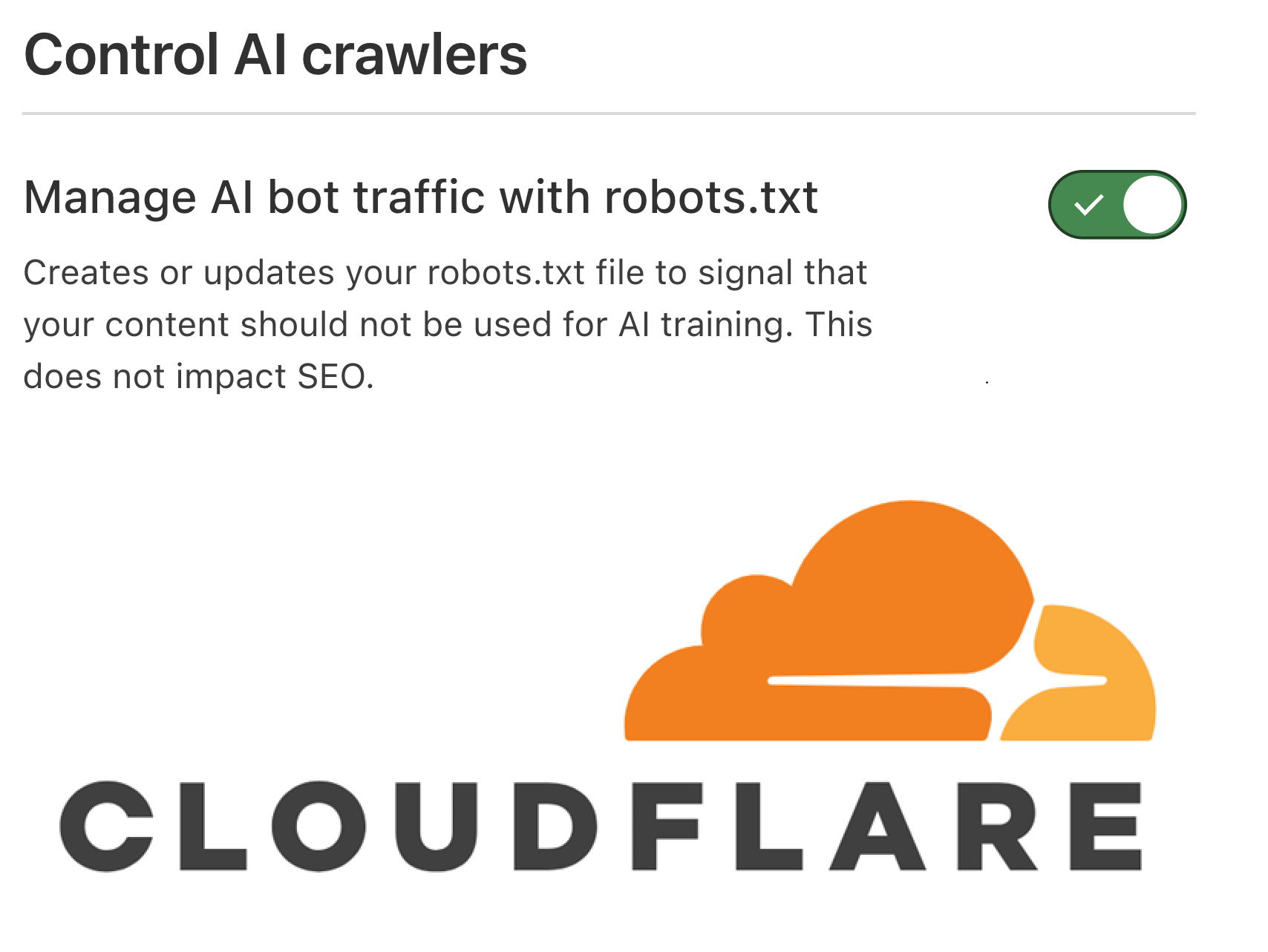
A Step-by-Step Guide to Protecting Your Content, Preserving AI Search Visibility, Improving AI Citation – Avoiding Cloudflare AI Bot Blocking
Audience: SEO Professionals, Site Owners, IT Teams, Digital Marketers, E-commerce Operators
Table of Contents
- Why Cloudflare AI Search Visibility Configuration Matters
- AI Search Bots vs. AI Training Bots: A Critical Distinction
- Step 1: Audit Your Current AI Visibility State
- Step 2: Choose the Right Access Policy for Your Business
- Step 3: Build Your robots.txt for AI Bot Management
- Step 4: Configure Cloudflare AI Crawl Control Settings
- Step 5: Optimize Your Sitemap for AI Crawler Discovery
- Step 6: Create Content That Retrieval Bots Can Actually Use
- Step 7: Build a Crawler Inventory for Ongoing Audits
- Step 8: Validate Your Setup After Every Change
- Troubleshooting Common Configuration Problems
- Authoritative References and Further Reading
- FAQ: Cloudflare AI Search Visibility
Why Cloudflare AI Search Visibility Configuration Matters
The search landscape has fundamentally shifted. AI-powered answer engines — ChatGPT Search, Perplexity AI, Google AI Overviews, and Claude — now surface information from across the web and deliver direct answers to user queries. For any website relying on organic search for traffic, brand awareness, or lead generation, appearing in these AI-generated responses has become as commercially important as ranking in a traditional Google SERP.
Yet Cloudflare — used by over 20% of all websites — introduces a layer of AI bot management that many site owners configure incorrectly. Cloudflare’s default “Block AI bots” security setting blocks all AI crawlers indiscriminately, including the retrieval bots that power ChatGPT answers, Perplexity citations, and Google AI Overviews. Enabling this setting without understanding the distinction between AI search bots and AI training bots is one of the most common Cloudflare AI SEO mistakes — and one of the most damaging.
AI Search Bots vs. AI Training Bots: A Critical Distinction
Before configuring a single rule, you must understand the fundamental difference between two classes of AI crawlers. Conflating them leads to configurations that either block content from appearing in AI search results or expose proprietary content to wholesale training data extraction.
| Bot Name | User-Agent | Platform | Action | Purpose |
|---|---|---|---|---|
| OAI-SearchBot | OAI-SearchBot | OpenAI | Allow | Powers ChatGPT search answers with attribution |
| ChatGPT-User | ChatGPT-User | OpenAI | Allow | User-triggered retrieval in ChatGPT browsing mode |
| GPTBot | GPTBot | OpenAI | Block | LLM training only — no search/citation benefit |
| PerplexityBot | PerplexityBot | Perplexity AI | Allow | Powers Perplexity answers with direct citations |
| ClaudeBot | ClaudeBot | Anthropic | Allow | Retrieval crawler for Claude AI responses |
| Googlebot | Googlebot | Allow | Core Google Search indexing; feeds AI Overviews | |
| Google-Extended | Google-Extended | Block (optional) | Controls Gemini/SGE training use — does NOT affect Google Search ranking | |
| Applebot-Extended | Applebot-Extended | Apple | Block (optional) | Controls how Applebot-crawled data is used for AI |
Step 1: Audit Your Current AI Visibility State
The first practical action for any site owner is to confirm whether AI visibility is already being undermined by Cloudflare defaults. Many sites are in this position without realizing it — Cloudflare’s AI bot blocking features are often enabled during security configuration with minimal consideration for which bots are being blocked.
Check Your Live robots.txt
Fetch your live robots.txt directly from the edge — this is what crawlers actually see, not your source file:
curl -I https://yourdomain.com/robots.txt
curl https://yourdomain.com/robots.txt
In the output, look for User-agent directives related to: GPTBot, OAI-SearchBot, ClaudeBot, PerplexityBot, CCBot, Google-Extended, and Applebot-Extended.
Review the Cloudflare Dashboard
Log into Cloudflare and navigate to: Security → Bots → AI Crawl Control. Review:
- Robots.txt tab: Shows the edge-delivered version including any Cloudflare-injected Content Signals or block directives
- Crawlers tab: Displays per-bot request counts, allow/block actions, and robots.txt violation logs
- AI Crawl Control status: Whether this feature is enabled and which bots are affected
- Bot Fight Mode and WAF custom rules: Check for rules that may challenge or deny known AI crawlers
 AI Visibility Audit Checklist
 AI Visibility Audit Checklist
- ✅ Live robots.txt fetched and reviewed for AI bot directives
- ✅ Cloudflare AI Crawl Control dashboard reviewed
- ✅ “Block AI bots” toggle status confirmed
- ✅ WAF and Bot Fight Mode rules audited for AI user-agent conflicts
- ✅ Analytics checked for AI referral traffic from chatgpt.com and perplexity.ai
- ✅ Per-crawler allow/block status confirmed in AI Crawl Control
Step 2: Choose the Right Access Policy for Your Business
Option A: Maximum AI Visibility
Best for: Publishers, content marketers, news sites prioritizing maximum AI exposure.
- Allow all search and retrieval bots (OAI-SearchBot, ChatGPT-User, PerplexityBot, Googlebot, BingBot, ClaudeBot)
- Allow or selectively allow training bots (GPTBot, CCBot, Google-Extended)
Option B: Balanced — Allow AI Search, Block AI Training (Recommended ✅)
Best for: Most e-commerce sites, B2B companies, SMBs, agencies, and public-facing brands.
- Allow: OAI-SearchBot, ChatGPT-User, PerplexityBot, ClaudeBot, Googlebot, BingBot
- Block: GPTBot, CCBot, Google-Extended, Applebot-Extended
- Keep public pages open; use path-level restrictions for premium or proprietary content
Pros: Strong AI search visibility and citation potential; meaningful IP protection against unauthorized training use. Cons: Requires periodic maintenance as bot user-agents evolve.
Option C: Tight Protection
Best for: Legal firms, financial services, healthcare, proprietary research platforms.
- Block all AI training bots by default
- Selectively allow specific retrieval bots via robots.txt and Cloudflare per-crawler rules
- Use path-level controls to expose only non-sensitive content to AI search bots
NytroSEO automates Cloudflare AI crawler configuration, robots.txt management, and AI bot monitoring for agencies and enterprise sites — saving hours of manual audit work while ensuring consistent, accurate AI search visibility configuration at scale.
Explore NytroSEO AI Crawler Automation →
Step 3: Build Your robots.txt for AI Bot Management
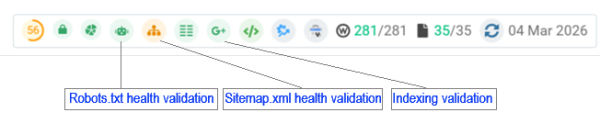
Your robots.txt file is the foundational document for communicating crawler access preferences. Per Google’s official robots.txt documentation, the file must be accessible at the root of your domain and return HTTP 200. Cloudflare’s AI Crawl Control documentation confirms that when managed robots.txt is enabled, Cloudflare may inject additional directives at the edge — always verify the live version.
Configuration Example 1: Balanced Public-Site Configuration
# Allow AI search and retrieval bots
User-agent: OAI-SearchBot
Allow: /

User-agent: ChatGPT-User
Allow: /

User-agent: PerplexityBot
Allow: /

User-agent: ClaudeBot
Allow: /

User-agent: Bingbot
Allow: /

# Block AI training crawlers
User-agent: GPTBot
Disallow: /

User-agent: CCBot
Disallow: /

# Google Gemini and generative AI training
User-agent: Google-Extended
Disallow: /

User-agent: Applebot-Extended
Disallow: /

# Standard search engine crawlers
User-agent: Googlebot
Allow: /

User-agent: *
Allow: /

Sitemap: https://yourdomain.com/sitemap_index.xml
Configuration Example 2: Hybrid Path-Level Control
# Allow training bots only on public marketing content
User-agent: GPTBot
Disallow: /premium/
Disallow: /research/
Disallow: /members/
Disallow: /account/
Allow: /

User-agent: CCBot
Disallow: /premium/
Disallow: /research/
Allow: /

# Retrieval bots — full access to drive AI search visibility
User-agent: OAI-SearchBot
Allow: /

User-agent: PerplexityBot
Allow: /

User-agent: ClaudeBot
Allow: /

Sitemap: https://example.com/sitemap_index.xml
Step 4: Configure Cloudflare AI Crawl Control Settings
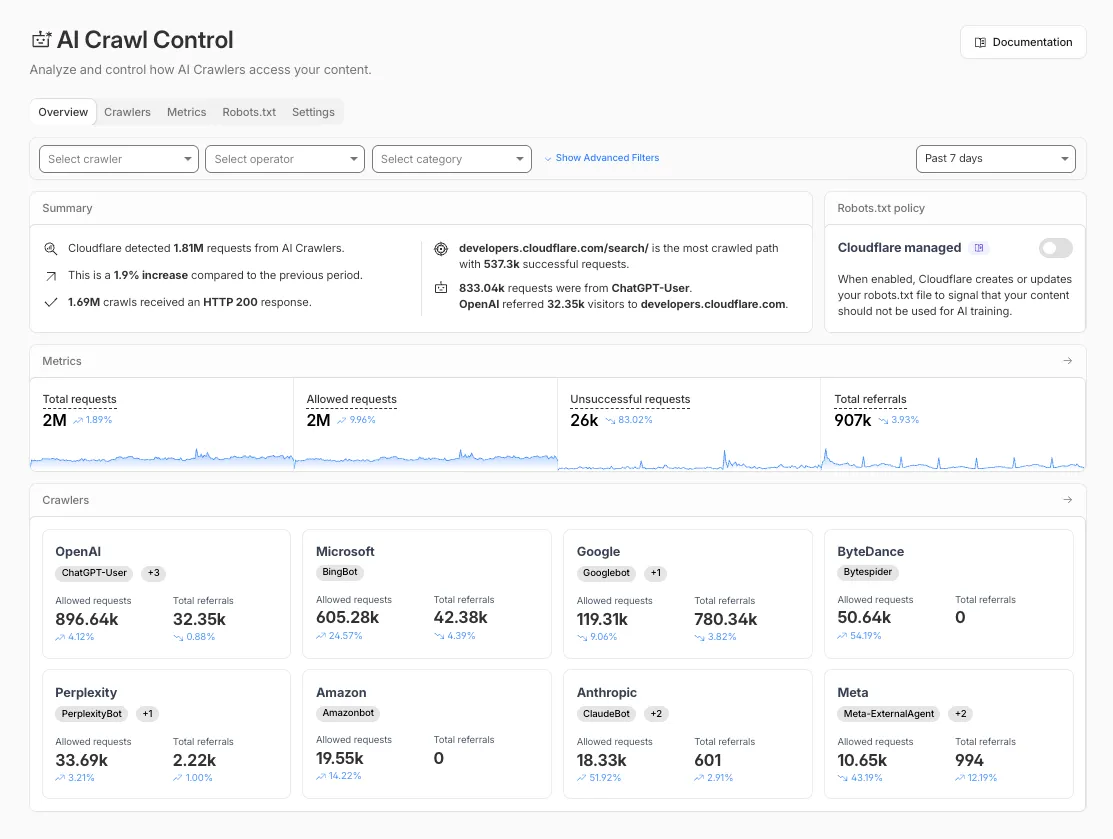
Cloudflare AI bot management provides multiple overlapping enforcement layers — more powerful than robots.txt alone because Cloudflare rules are enforced at the network level. Navigate to: Cloudflare Dashboard → Security → Bots → AI Crawl Control
1. Check Managed robots.txt Status
Navigate to the Robots.txt tab. Confirm that Cloudflare AI content signals and AI block rules reflect your intended policy, not defaults that may conflict with your AI search goals.
2. Review Per-Crawler Actions and Logs
Under the Crawlers tab, review bot-specific allow/block actions, request counts, and robots.txt violation logs. If you see OAI-SearchBot or PerplexityBot being blocked, this indicates a configuration conflict that needs to be resolved.
3. Configure Per-Crawler Allow/Block Rules
Set explicit per-crawler rules. Do not rely solely on the “Block AI bots” toggle — configure individual bot policies:
- OAI-SearchBot: Allow
- ChatGPT-User: Allow
- PerplexityBot: Allow
- ClaudeBot: Allow
- GPTBot: Block
- CCBot: Block
- Google-Extended: Block (optional)
- Applebot-Extended: Block (optional)
4. Disable Bot Fight Mode for AI Search Bots
Cloudflare’s Bot Fight Mode can inadvertently challenge legitimate AI crawlers. If enabled, check whether OAI-SearchBot or PerplexityBot are receiving CAPTCHA challenges or JS challenge responses. Create explicit “skip” rules for verified AI search bot user-agents if necessary.
robots.txt file, it means Cloudflare has taken over management of the file and is controlling the configuration for your website.As a condition of accessing this website, you agree to abide by the following # content signals: # (a) If a Content-Signal = yes, you may collect content for the corresponding # use. # (b) If a Content-Signal = no, you may not collect content for the # corresponding use. # (c) If the website operator does not include a Content-Signal for a # corresponding use, the website operator neither grants nor restricts # permission via Content-Signal with respect to the corresponding use. # The content signals and their meanings are: # search: building a search index and providing search results (e.g., returning # hyperlinks and short excerpts from your website's contents). Search does not # include providing AI-generated search summaries. # ai-input: inputting content into one or more AI models (e.g., retrieval # augmented generation, grounding, or other real-time taking of content for # generative AI search answers). # ai-train: training or fine-tuning AI models. # ANY RESTRICTIONS EXPRESSED VIA CONTENT SIGNALS ARE EXPRESS RESERVATIONS OF # RIGHTS UNDER ARTICLE 4 OF THE EUROPEAN UNION DIRECTIVE 2019/790 ON COPYRIGHT # AND RELATED RIGHTS IN THE DIGITAL SINGLE MARKET. # BEGIN Cloudflare Managed content
Step 5: Optimize Your Sitemap for AI Crawler Discovery
Even when your robots.txt and Cloudflare configuration correctly allow AI crawlers, poor sitemap structure limits how efficiently those crawlers can discover your content. A well-configured sitemap is foundational for Cloudflare AI content signals configuration.
Sitemap Best Practices
- Always declare your sitemap URL in robots.txt:
Sitemap: https://yourdomain.com/sitemap_index.xml - Use a sitemap index file that separates content types (posts, pages, products, categories)
- Update
lastmodvalues accurately whenever pages change — AI indexers prioritize fresh content - Keep premium or private paths completely out of your public sitemap
- Submit the sitemap index to Google Search Console and Bing Webmaster Tools
Step 6: Create Content That Retrieval Bots Can Actually Use
Allowing AI search bots access is a necessary condition for AI search visibility — but not sufficient. Retrieval bots favor content that is structured, authoritative, and explicitly answer-oriented.
Content Characteristics That Drive AI Citation
- Clean hierarchical headings: Use H1 for the primary topic and H2/H3 for subtopics. Bots parse heading structure for context and relevance signals.
- Explicit definitions: Define key concepts in dedicated sections — AI systems look for definitional paragraphs to anchor their answers.
- Step-by-step procedures: Numbered guides are among the most commonly cited content formats in AI-generated answers.
- Data and statistics with sources: Original data, linked to primary sources, dramatically increases citation probability.
- FAQ sections: Frequently asked questions formatted with clear Q&A structure are highly extracted by retrieval bots for answer boxes.
Step 7: Build a Crawler Inventory for Ongoing Audits
The AI crawler landscape evolves rapidly. A crawler inventory — a documented record of which bots you allow, block, and monitor — is essential for maintaining consistent Cloudflare AI search visibility over time.
Your crawler inventory should include: bot name, user-agent string, platform, current policy (allow/block), last audit date, and notes on behavioral changes. Review and update this inventory at least quarterly, or after any major Cloudflare security configuration change.
Step 8: Validate Your Setup After Every Change
Every robots.txt edit, Cloudflare rule change, or WAF update carries the risk of accidentally re-blocking AI search crawlers. A systematic validation process after every change is non-negotiable.
Validation Checklist
- ✅ Confirm robots.txt returns HTTP 200 and includes expected Allow/Disallow directives
- ✅ Review the Cloudflare Robots.txt tab to confirm edge-served content matches intent
- ✅ Check per-crawler logs for unexpected deny responses or challenge events
- ✅ Verify sitemap is publicly accessible and returns HTTP 200
- ✅ Check analytics for referral traffic from
chatgpt.comandperplexity.ai - ✅ Monitor server logs for new crawler user-agent strings not covered by existing rules
- ✅ Use Google’s robots.txt Tester in Search Console to validate directives
- ✅ Document every configuration change in a changelog with before/after state
Troubleshooting Common Configuration Problems
Does Blocking Google-Extended Affect Google Search Rankings?
Answer: No. Google-Extended controls only how content crawled by Googlebot may be used for generative AI training (Gemini, SGE). It does not affect traditional Google Search indexing or rankings. Blocking Google-Extended via robots.txt is a safe IP protection measure.
Cloudflare WAF Rule Is Blocking an AI Crawler I Want to Allow
Answer: Cloudflare evaluates firewall rules before robots.txt is accessed. To allow a specific bot through a WAF rule, create an explicit allow/skip exception for that bot’s user-agent string at a higher priority rule position than the blocking rule. Confirm the exception is working by checking access logs.
How Can I Track ChatGPT Referral Traffic in Analytics?
Answer: Per OpenAI’s publisher FAQ, look for utm_source=chatgpt.com in your analytics platform. Create a dedicated segment or filter for this source to measure AI search referral traffic separately from organic search.
Does Cloudflare AI Bot Blocking Affect Appearance in ChatGPT or Perplexity Answers?
Answer: Yes, directly. Cloudflare AI bot blocking can prevent OAI-SearchBot and PerplexityBot from indexing your content. WAF and firewall rules are enforced before robots.txt is even accessed, so a WAF block overrides any robots.txt Allow directive. Resolve this by reviewing per-crawler settings in Cloudflare’s AI Crawl Control dashboard.
What Is the Difference Between the “Block AI Bots” Toggle and Per-Crawler Rules?
Answer: Cloudflare’s “Block AI bots” toggle applies a blanket block across all categorized AI crawlers — including both training bots AND AI search retrieval bots. Enabling it without per-crawler exceptions eliminates Cloudflare AI search visibility entirely. Use the per-crawler controls in AI Crawl Control for a balanced policy.
How Do I Configure Cloudflare for an E-commerce Site?
Answer: Allow retrieval bots full access to product pages, category pages, and blog content, while using path-level robots.txt restrictions to protect account pages and checkout flows from training bots. Split your sitemap by content type for efficient AI crawler discovery. Monitor per-bot request logs regularly to detect unexpected blocking patterns.
What Is GPTBot and How Do I Block It While Preserving ChatGPT Search Visibility?
Answer: GPTBot is OpenAI’s training crawler — used exclusively for LLM model training, not to power ChatGPT search results. To block GPTBot while preserving ChatGPT AI search visibility, add User-agent: GPTBot / Disallow: / in your robots.txt while separately adding User-agent: OAI-SearchBot / Allow: / to permit ChatGPT’s search indexer. Confirm no WAF or Bot Fight Mode rule groups both bots together.
Authoritative References and Further Reading
References:
Google Robots.txt Docs ·
Cloudflare AI Crawl Control ·
OpenAI Bot Docs ·
Sitemaps.org Protocol ·
Applebot-Extended ·
NytroSEO
FAQ: Cloudflare AI Search Visibility
What is Cloudflare AI search visibility and why does it matter?
Cloudflare AI search visibility refers to how discoverable your website is within AI-powered search systems when Cloudflare manages your security layer. Cloudflare defaults can silently block AI search crawlers, making your content invisible to ChatGPT, Perplexity AI, and Google AI Overviews even if it ranks in traditional search.
How do I audit my Cloudflare AI SEO configuration?
Start by fetching your live robots.txt and compare it against your origin server file. Next, check the Cloudflare dashboard under Security → AI Crawl Control for per-crawler allow/block settings and violation logs. Finally, review web analytics for AI referral traffic from chatgpt.com and perplexity.ai.
Does Cloudflare AI bot blocking affect my ability to appear in ChatGPT or Perplexity answers?
Yes, directly. Cloudflare AI bot blocking can prevent OAI-SearchBot and PerplexityBot from indexing your content. WAF rules are enforced before robots.txt, so a WAF block overrides any Allow directive. Resolve this by reviewing per-crawler settings in Cloudflare’s AI Crawl Control dashboard.
What is the difference between Cloudflare AI bot blocking settings and the “Block AI bots” toggle?
Cloudflare’s “Block AI bots” toggle applies a blanket block across all categorized AI crawlers — including both training bots and AI search retrieval bots. Enabling it without per-crawler exceptions eliminates Cloudflare AI search visibility entirely. Use the per-crawler controls in AI Crawl Control for a balanced policy.
NytroSEO automates Cloudflare AI crawler configuration, robots.txt management, and AI bot monitoring for agencies and enterprise sites — saving hours of manual audit work while ensuring consistent, accurate AI search visibility configuration at scale.