Webinar: Too Many Non-Indexed Pages? How Google Crawl Budget, Indexing Quality, and AI Search Readiness Affect Your Rankings
June 18, 2026
Go to Webinars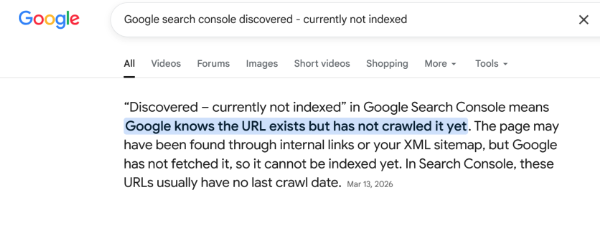
Google’s latest crawl and AI search guidance points to a clear shift: weak pages may not always be visibly penalized, they may simply fail to earn crawl priority, indexing, ranking, or AI search eligibility.
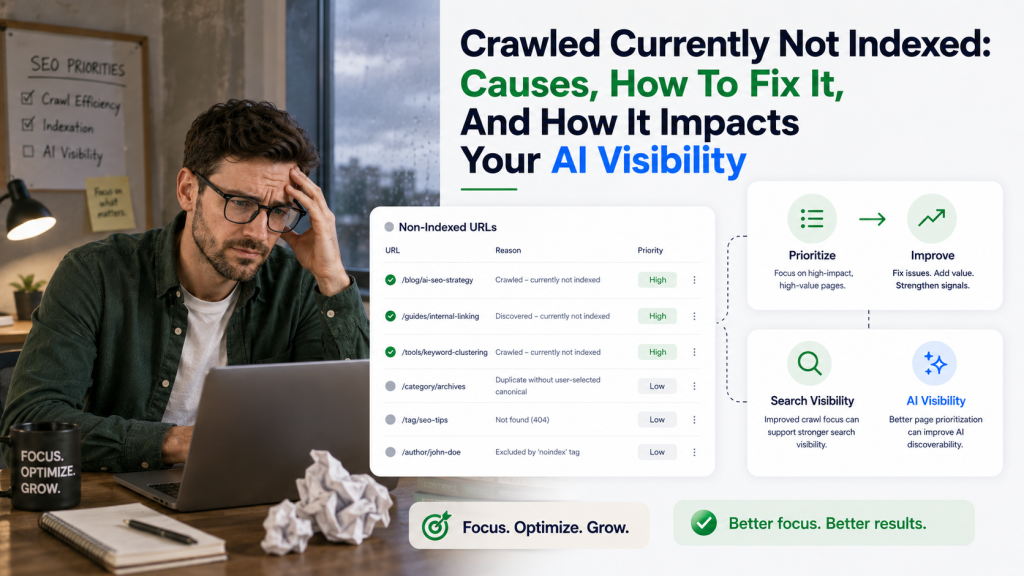
Many websites are now seeing a significant decrease in the number of crawled pages, while more URLs are appearing as “Crawled, currently not indexed” or “Discovered, currently not indexed” in Google Search Console’s Page Indexing Report. For important pages, this can directly impact search visibility, AI visibility, and brand citations.
Crawl Budget SEO: Why This Matters Now
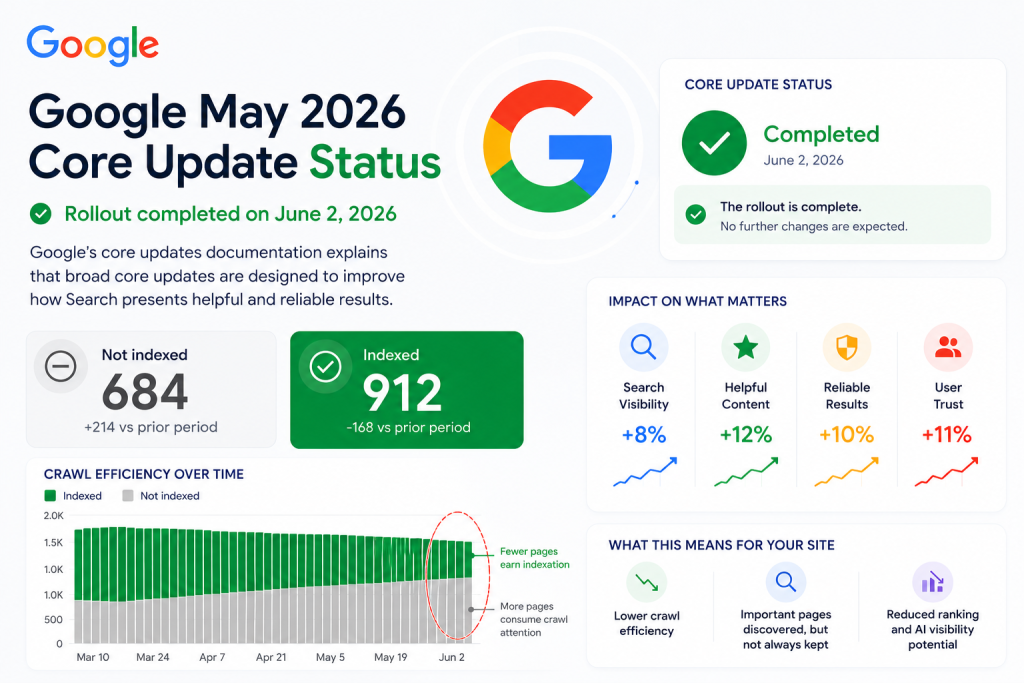
The Google May 2026 core update, together with Google crawl-budget guidance and Google AI search guidance, reinforces that crawlability, indexability, content quality, and relevance now directly affect whether important pages can rank, appear in AI Overviews, AI Mode, and support generative AI visibility.
This does not mean every non-indexed URL is a crisis. Some URLs should not be indexed. Filter pages, duplicate sort URLs, outdated archives, tag variations, soft 404s, internal search result pages, staging URLs, and low-value utility pages may not deserve index coverage. The problem starts when your commercial, educational, or strategic pages are excluded from the index even though they matter to your business.
For SEO agencies, ecommerce teams, SaaS companies, large website owners, content managers, and technical SEO teams, the issue is not only “how do we get more pages indexed?” The better question is: which pages deserve to be indexed, and what signals are holding them back?
Google crawl budget documentation explains that Googlebot has limited resources and must choose which URLs it can and wants to crawl. Crawl demand is influenced by factors such as site size, update frequency, page quality, relevance, popularity, staleness, and perceived URL inventory. This is why crawl budget seo is no longer only a server-load topic. It is also about the quality, usefulness, uniqueness, and clarity of the pages Google discovers across your website.
Crawled But Not Indexed: What It Means In Google Search Console
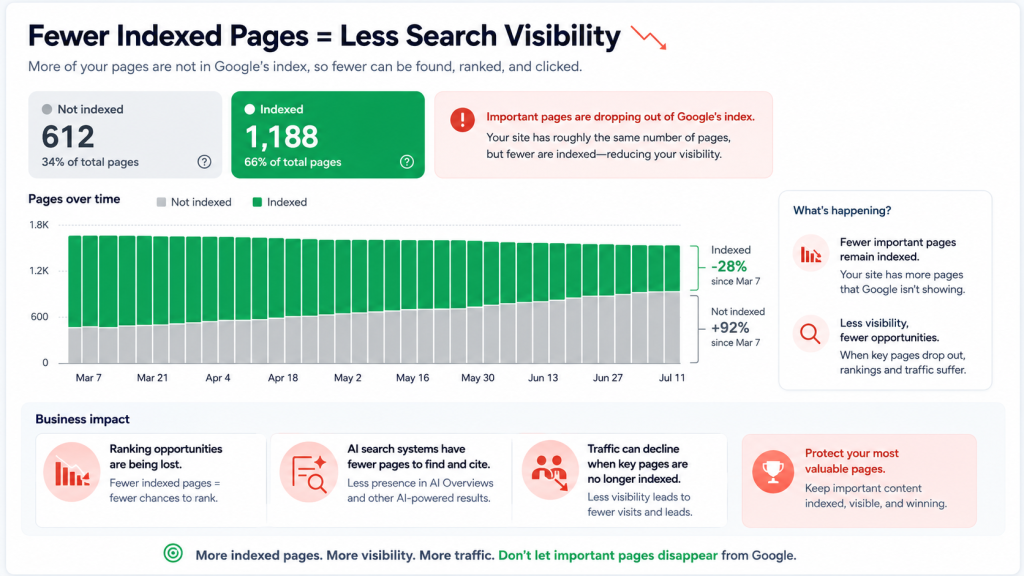
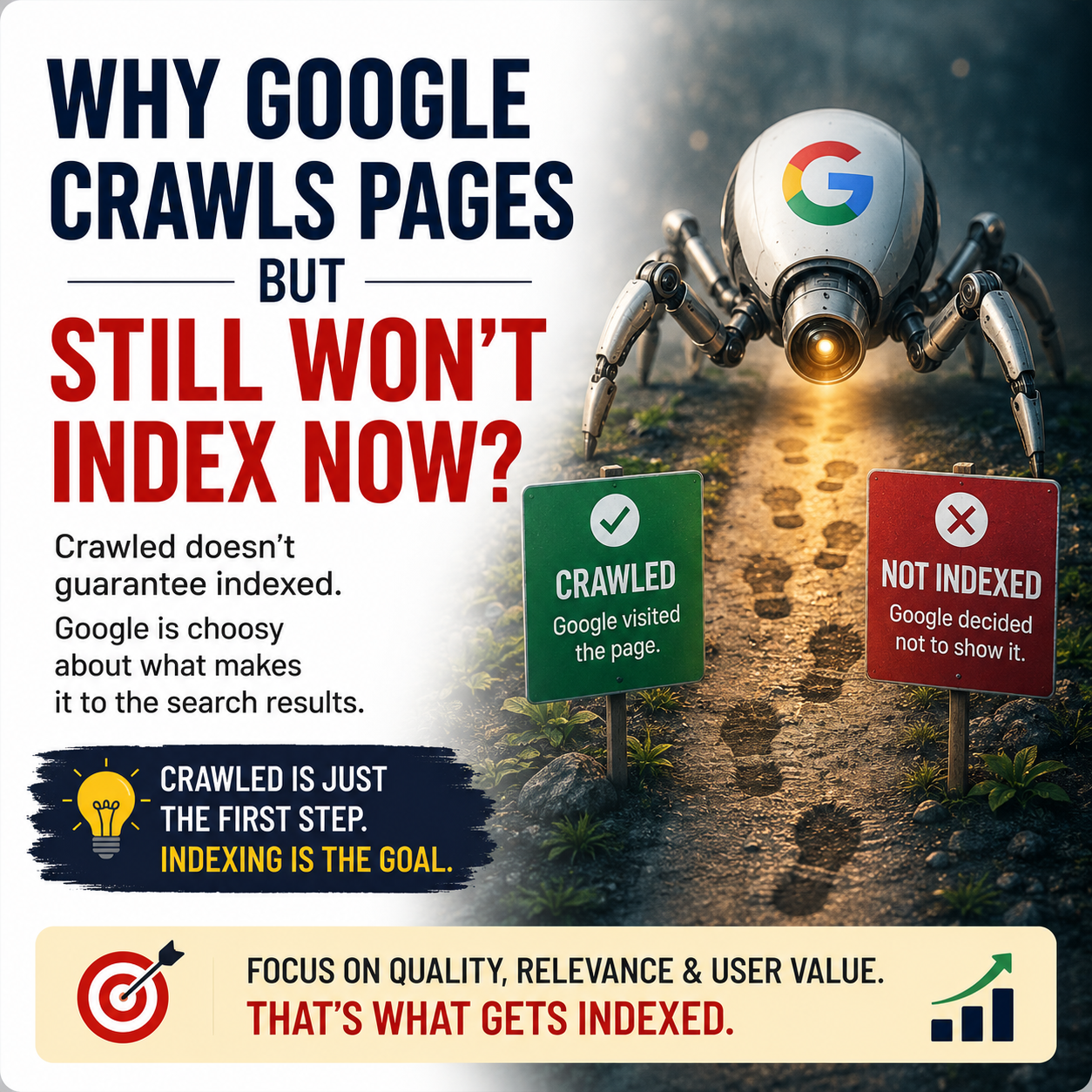
The status crawled currently not indexed means Google crawled the URL but did not add it to the index. Google may index it later, but there is no guarantee. In practical terms, the page was seen, fetched, and evaluated, but it did not earn index inclusion at that time.
This is different from a hard technical block. A URL blocked by robots.txt, a page with a noindex directive, a page returning a 404, or a redirect target problem may have a clearer technical explanation. The status crawled but not indexed is often more diagnostic. It may point to quality, duplication, relevance, weak internal linking, thin content, unclear metadata, canonical confusion, poor template differentiation, or weak perceived value.
The phrase crawled but currently not indexed is often used by site owners to describe the same Search Console issue. The practical question is not whether Google has ever seen the page. The practical question is whether Google sees enough value, clarity, and uniqueness to store and serve that page in Search.
For a business, this matters because non-indexed pages cannot rank as normal search results. If a high-intent landing page, product category, service page, location page, or strategic article is stuck outside the index, it cannot fully support organic search visibility, AI visibility, or brand citations.
Discovered Currently Not Indexed: How It Differs From Crawled Pages
The status discovered currently not indexed means Google knows the URL exists but has not crawled it yet. It may have discovered the URL through a sitemap, internal link, external link, or another discovery path, but it has not allocated crawl resources to fetch the page.
The phrase discovered but not indexed is often used informally, but the core issue is the same: Google is aware of the URL, but the URL has not moved through the full crawl-and-index process. In many cases, this can be connected to crawl prioritization, duplicate URL patterns, very large URL inventories, low internal importance, or weak perceived value.
The two statuses require different thinking:
Crawled but not indexed means Google already fetched the page and did not index it.
Discovered currently not indexed means Google found the URL but has not crawled it yet.
Crawled not currently indexed is another variation people use when referring to the first status. Regardless of the wording, the business risk is similar when important URLs are involved: Google is not treating the page as a strong candidate for search visibility.
The right response is not to fix every URL equally. The right response is to segment your URLs into business-critical pages, useful supporting pages, optional pages, duplicate or near-duplicate pages, and pages that should not be indexed at all.
Crawled But Currently Not Indexed: Causes Google May Be Evaluating
Crawl budget seo is the process of helping search engines spend crawl resources on the URLs that matter most. For small websites, crawl budget is often not a major constraint. For large, fast-changing, ecommerce, publishing, marketplace, directory, travel, real estate, SaaS documentation, and programmatic SEO sites, crawl budget google behavior can become a major visibility factor.
Google crawl budget guidance describes two main elements: crawl capacity and crawl demand. Crawl capacity is connected to what Google can crawl without overloading your server. Crawl demand is connected to what Google wants to crawl based on signals such as quality, relevance, update frequency, perceived inventory, popularity, and staleness.
That means seo crawl budget is not simply a hosting problem. It is also an inventory problem. If your site exposes too many weak, duplicate, outdated, filtered, or unimportant URLs, Google may spend crawl time in the wrong places.
Examples include:
A product site with thousands of filter combinations that create near-identical category URLs.
A blog with hundreds of thin tag pages that repeat the same post lists.
A location site with city pages that swap only the city name but provide no local value.
A SaaS help center where old docs remain live even after features changed.
A marketplace where expired listings return thin content instead of clear removal or replacement signals.
In each case, Google may discover many URLs, but that does not mean those URLs deserve crawling, indexing, ranking, or AI search eligibility.
Crawl Budget Google: How Googlebot Decides What Deserves Attention
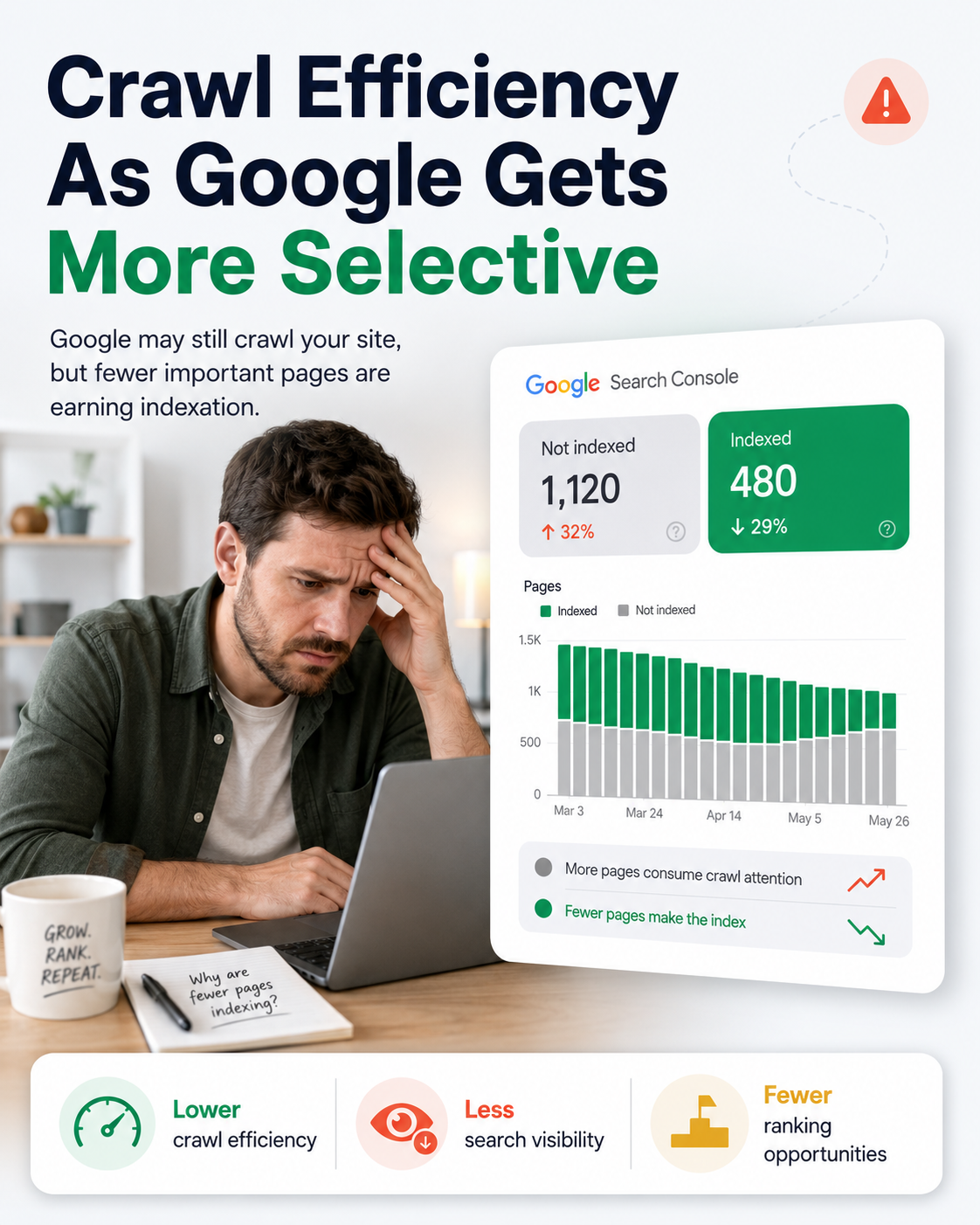
There is rarely one universal reason for crawled currently not indexed. A page can be crawled but excluded from the index because of several overlapping signals. The page may be technically accessible, but still fail to compete for index inclusion.
Common causes include:
Thin content. The page exists, but it does not provide enough unique value compared to competing pages or other pages on the same site.
Duplicate or near-duplicate content. The page repeats product descriptions, location copy, category text, tag page content, filtered listings, or template text with minimal differentiation.
Weak internal linking. The page is technically reachable, but the site architecture does not communicate that it is important.
Poor metadata clarity. The title, description, headings, and on-page context do not clearly explain the purpose of the page or the search intent it should satisfy.
Canonical conflicts. Google may see another URL as a better representative version of the same content.
Soft 404 patterns. A page may technically return a 200 status, but behave like an empty, expired, unavailable, or low-value page.
Parameter and faceted navigation issues. Large ecommerce or directory sites may generate many URLs with sorting, filters, tags, pagination, or query parameters that create crawl noise.
Outdated or stale content. Google may crawl the page but see little reason to keep it indexed if it appears obsolete or unmaintained.
Poor template differentiation. Thousands of pages may look structurally similar, making it hard for Google to identify which pages are uniquely useful.
Weak search intent alignment. The page may target a keyword, but the content does not satisfy the intent behind the query.
This is why crawl budget optimization should be treated as both a technical and content-quality discipline. Better servers alone cannot solve weak page value. Better copy alone may not solve duplicate URL inventory. Better metadata alone cannot fix a noindex directive or canonical problem. The strongest results usually come from fixing the system that creates low-value pages and improving the pages that deserve visibility.
Crawl Budget Optimization: A Practical Diagnostic Framework
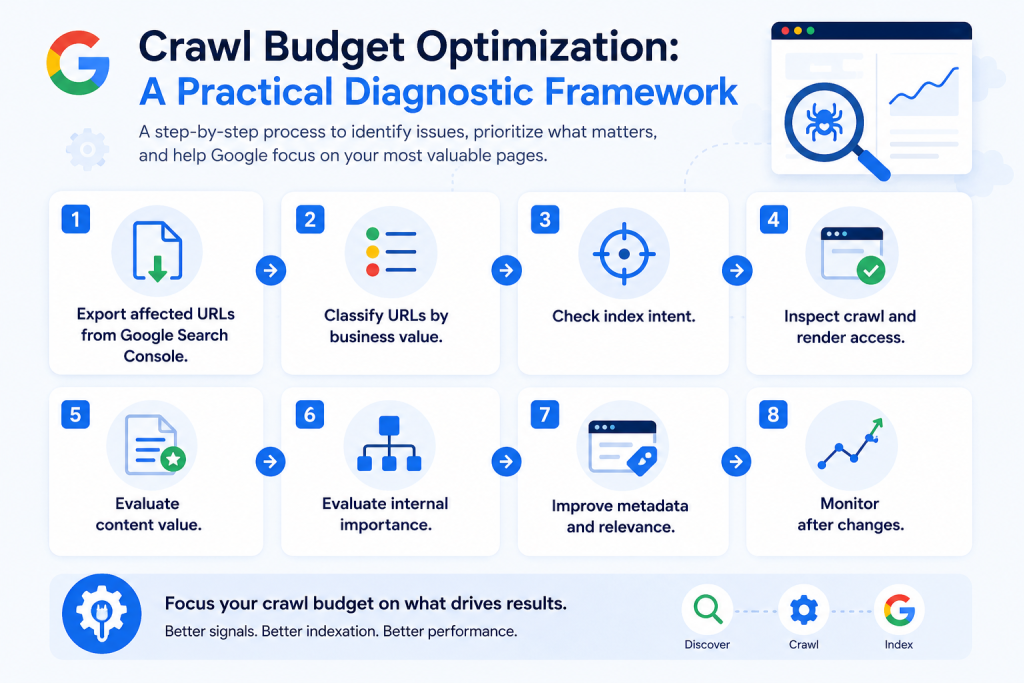
A strong crawled currently not indexed solution starts with diagnosis, not panic. The goal is to determine whether the URL should be indexed, whether Google can crawl it efficiently, whether the page is unique and useful, and whether the page sends strong enough signals to deserve visibility.
Step 1: Export affected URLs from Google Search Console.
Start with the Google Search Console Page Indexing Report. Separate “Crawled, currently not indexed” from “Discovered, currently not indexed.” Do not mix them into one generic problem list. They represent different stages.
Step 2: Classify URLs by business value.
Create groups such as revenue pages, product pages, service pages, location pages, category pages, strategic articles, support content, tags, archives, parameters, pagination, outdated pages, and expired pages. This quickly shows which URLs deserve attention and which should be ignored, consolidated, blocked, redirected, or removed.
Step 3: Check index intent.
Ask whether the page should appear in Google Search. Some pages are useful to users but not useful as standalone search results. Examples include cart pages, internal search pages, filtered views, print pages, duplicate sort pages, thank-you pages, and thin tag pages.
Step 4: Inspect crawl and render access.
Use URL Inspection, server logs, crawl stats, robots.txt, canonical tags, status codes, sitemap inclusion, and rendered HTML. Confirm that the page returns a clean 200 status, is not blocked, is not noindexed, has a self-consistent canonical strategy, and exposes meaningful content in rendered code.
Step 5: Evaluate content value.
Review whether the page provides original information, complete answers, clear examples, product or service specificity, unique media, trust signals, structured data, and enough context to satisfy the intended search query.
Step 6: Evaluate internal importance.
Look at internal links, navigation placement, breadcrumb structure, related content modules, XML sitemap inclusion, and orphan status. If your own website barely links to a page, Google may not treat it as important.
Step 7: Improve metadata and relevance.
Titles, meta descriptions, headings, image alt text, internal anchor text, and structured page summaries help clarify what the page is about. Metadata alone is not enough, but unclear metadata can weaken the signals Google uses to understand page purpose.
Step 8: Monitor after changes.
Do not expect instant indexing. Track affected URLs over time. Review crawl stats, index status, sitemap submission, internal link improvements, and organic query visibility. Search systems need time to recrawl, reassess, consolidate, and decide.
Crawled But Not Indexed: Fixes For Important URLs
The best fixes depend on the URL type. A revenue page requires a different action than a duplicate filter page. A thin article requires a different action than an expired product listing.
For important service pages, strengthen page depth, align content with search intent, add proof, improve headings, refine metadata, add relevant internal links, and ensure the page is included in XML sitemaps.
For product pages, improve unique product descriptions, specifications, FAQs, reviews, availability information, structured data, and internal links from categories and related products.
For category pages, add useful category explanations, buying guidance, comparison content, internal links, FAQs, and differentiated text beyond product grids.
For location pages, add local proof, service coverage, examples, localized FAQs, testimonials, maps, and unique location-specific relevance.
For blog posts, update outdated material, expand thin sections, improve information gain, add examples, strengthen introductions, add answer-focused Q&A sections, and improve internal links to related posts and commercial pages.
For duplicate or near-duplicate URLs, consolidate, canonicalize, block crawling where appropriate, remove from sitemaps, redirect when there is a clear replacement, or use noindex when crawling is acceptable but indexing is not desired.
For faceted navigation and parameters, control crawl paths carefully. Avoid exposing endless combinations that do not create meaningful search value. Make sure your canonical strategy, robots rules, and internal links reinforce the preferred URLs.
For soft 404s, expired listings, empty pages, and unavailable products, provide clear status handling. If the page is permanently gone, use an appropriate 404 or 410. If there is a replacement, redirect to the best relevant alternative. If the page should stay live, add useful content and clear user value.
These actions support crawl budget optimization because they reduce crawl waste and focus Google’s attention on pages that are more likely to deserve indexing.
Crawled Not Currently Indexed: Why Indexing Is The Entry Point For AI Visibility
AI visibility starts with discoverability, but it does not end there. Google AI search guidance states that AI Overviews and AI Mode are rooted in core Search ranking and quality systems and rely on content from Google’s Search index. This means that a page that is not crawled, indexed, and eligible to appear in Search cannot fully support generative AI visibility.
For AEO and GEO teams, this matters because AI systems need clear, accessible, useful, and well-structured content. A page hidden outside the index has limited ability to influence AI Overviews, AI Mode, search snippets, and brand citations.
Indexing is not the same as ranking. Ranking is not the same as being cited by AI. But indexing is a practical entry point. If important pages are stuck as crawled but not indexed or discovered currently not indexed, they are not fully available for the visibility path your business depends on.
This is especially important for brand-related queries. If users search for your company, product category, competitors, use cases, pricing questions, comparisons, or support topics, Google and AI-powered search systems need enough accessible evidence to understand your brand accurately. Weak indexation can weaken the footprint that supports those answers.
Crawled But Not Indexed: How NytroSEO Supports Better Indexing Focus And Page Relevance
NytroSEO helps teams improve metadata clarity, keyword-to-page relevance, and optimization focus across website pages. It does not force Google to index pages, and no ethical SEO tool can guarantee indexation. The role of NytroSEO is to help make important pages clearer, more relevant, and easier for search engines to understand.
NytroSEO uses a small JS snippet to inject optimized meta tags into the rendered website code, without modifying the CMS backend or stored content. This allows teams to improve metadata at scale while keeping implementation lightweight and platform-independent.
For teams dealing with crawled currently not indexed pages, NytroSEO can support the work by helping identify where metadata does not clearly represent the page, where keyword-to-page targeting is weak, where page relevance needs better alignment, and where optimization priorities should focus.
The practical benefit is not magic indexing. The practical benefit is operational clarity. Instead of manually rewriting hundreds or thousands of page titles and descriptions, teams can use automation to improve important page signals and focus manual work where content, internal links, schema, or technical changes are actually required.
NytroSEO can help support:
Better page titles and meta descriptions for important URLs.
Improved alignment between page content, keyword intent, and metadata.
Optimization focus across large websites with many URL types.
More consistent page-level clarity for search engines.
Monitoring and prioritization of pages that need attention.
When combined with technical SEO fixes, content improvements, internal link updates, and crawl budget management, this can help create stronger conditions for crawling, indexing, ranking, and AI visibility.
Discovered But Not Indexed: Business Impact On Rankings, AI Visibility, And Brand Citations
When important URLs are not indexed, the business impact can appear in several ways.
Organic traffic may decline because pages that should rank are not eligible to appear.
Keyword coverage may shrink because supporting pages are missing from the index.
Product and category visibility may weaken because Google has fewer indexed pages to match with commercial queries.
AI visibility may suffer because AI Overviews and AI Mode rely on Google Search systems and indexed content.
Brand citations may become incomplete because Google and AI systems have less indexed evidence to reference.
Crawl efficiency may fall because Googlebot spends time on low-value or duplicate URLs.
Content ROI may decline because pages created by the content team are not entering the search ecosystem.
This is why the issue should not be treated as a minor Search Console warning. For important pages, non-indexing is a visibility bottleneck.
Crawled But Currently Not Indexed Webinar: What You Will Learn
This webinar is designed for teams that want a practical, business-focused approach to crawling, indexing, and AI search readiness.
You will learn:
What “Crawled, currently not indexed” really means.
What “Discovered, currently not indexed” means.
How crawl budget waste can affect important URLs.
Why weak, duplicate, or low-value pages may reduce crawl efficiency.
How to separate normal non-indexed URLs from real indexing problems.
Why indexing quality matters after Google core and AI search changes.
How AI search readiness depends on crawlable, understandable, and useful content.
How metadata clarity, schema strategy, and page relevance support better indexing signals.
How NytroSEO’s latest tools can help support indexing improvement efforts, metadata clarity, page relevance, and optimization focus.
No tool can force Google to index a page. The goal is to give Google stronger reasons to crawl, understand, index, and rank the pages that matter.
SEO Crawl Budget: Checklist For Non-Indexed Pages
- Review Google Search Console Page Indexing reports.
- Export URLs marked “Crawled, currently not indexed.”
- Export URLs marked discovered currently not indexed.
- Separate business-critical URLs from low-value URLs.
- Check robots.txt, noindex, canonical tags, redirects, and status codes.
- Review XML sitemap inclusion and lastmod accuracy.
- Inspect rendered HTML and page content.
- Identify duplicate, near-duplicate, thin, outdated, and soft 404 pages.
- Improve content depth and search intent alignment on important pages.
- Improve metadata clarity and page relevance.
- Strengthen internal links to priority URLs.
- Add relevant structured data where it genuinely matches the page.
- Remove, consolidate, redirect, or block low-value URLs where appropriate.
- Monitor crawl stats, index status, rankings, and AI visibility indicators over time.
Google Search Console Discovered Currently Not Indexed: Q&A
Google search console crawled currently not indexed means Google crawled the page but did not add it to the index at that time. Important pages with this status should be reviewed for quality, relevance, duplication, internal linking, canonical signals, metadata clarity, and technical accessibility.
Google crawled currently not indexed is not always a technical error. It can happen when Google crawls a page but does not consider it strong, unique, useful, or clear enough to include in the index. Technical issues can still be involved, but content quality and page value should also be reviewed.
Google search console crawled currently not indexed means Google fetched the page but did not index it. Google search console discovered currently not indexed means Google found the URL but has not crawled it yet. The first status often requires page-level evaluation. The second often requires crawl priority, internal linking, sitemap, server, and URL inventory review.
Google crawl budget affects indexing by influencing how efficiently Googlebot spends time on your site. If Google spends crawl resources on duplicate, weak, outdated, or unimportant URLs, important pages may be crawled less often, crawled later, or not evaluated as strongly for indexing.
Google crawl budget improvements can reduce crawl waste and focus attention on important URLs, but they do not guarantee indexing. Important pages also need strong content, clear metadata, useful internal links, correct canonical signals, and enough unique value to deserve index inclusion.
NytroSEO cannot force Google to index a page. NytroSEO can support efforts to fix crawled currently not indexed pages by improving metadata clarity, keyword-to-page relevance, and optimization focus. NytroSEO uses a small JS snippet to inject optimized meta tags into the rendered website code, without modifying the CMS backend or stored content.
Google search console discovered currently not indexed can affect AI visibility because important pages that are not crawled, indexed, and eligible to appear in Search cannot fully support generative AI visibility. AI visibility depends on crawlable, indexable, understandable, and useful content.