
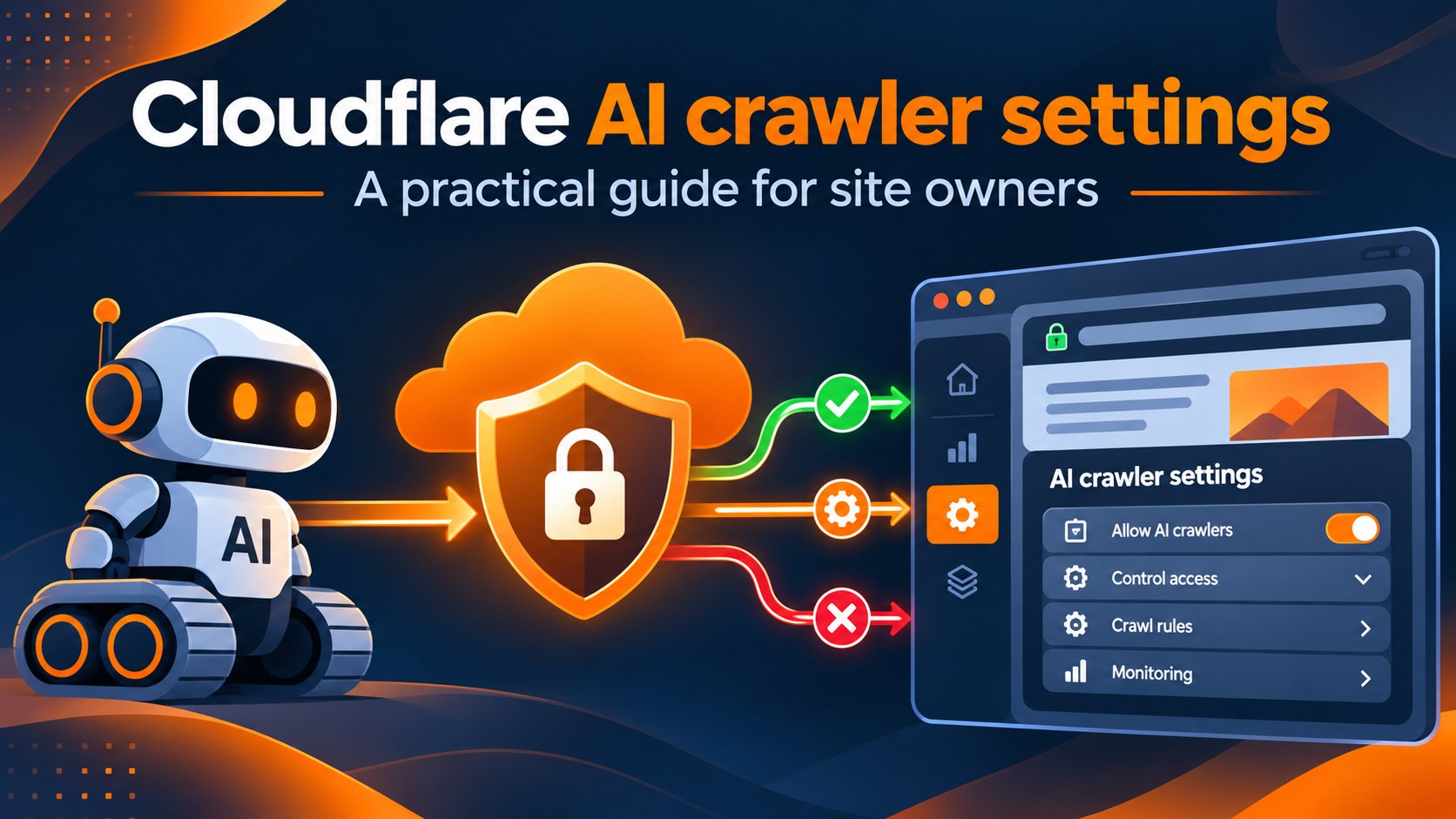
AI crawlers no longer have a single purpose. Some gather pages for search-like discovery, some retrieve content to answer a user’s immediate question, and others collect material for model training. Treating all of them alike can unintentionally reduce useful visibility or permit collection that conflicts with a publisher’s preferences. Cloudflare AI crawler settings help site owners make more selective decisions about who can access a site, why they are requesting pages, and what should happen when a request arrives.
For marketers, developers, and technical SEO teams, the challenge is to preserve access for legitimate discovery while controlling other kinds of automated traffic. Cloudflare AI crawler settings combine behavior-based policies with crawler-level management, analytics, and related security features. The best implementation starts with an access policy, not with a blanket block. It also considers the distinction between crawler access and subsequent search indexing, which are related but not identical outcomes.
This guide explains how to assess and configure Cloudflare AI crawler settings, how to allow AI crawlers but block AI training where supported, and how to audit the effect on legitimate search traffic. It also answers a separate but frequently associated question: whether a poor crawl budget can contribute to Google’s “Discovered – currently not indexed” status. The recommendations draw on current Cloudflare documentation and Google’s published crawling guidance, rather than treating AI crawler controls as a shortcut to better rankings.
Cloudflare AI crawler settings: What the Controls Actually Do
Cloudflare’s documentation describes two complementary ways of managing AI traffic. Its AI Crawler and Agent access policies, found under Security > Settings in the dashboard, group traffic by behavior: Search, Agent, and Training. Its AI Crawl Control product presents a crawler-by-crawler view of requests, violations of robots.txt instructions, and allow-or-block actions. These features overlap in purpose, but their controls and diagnostic views are not interchangeable.
Search behavior covers crawlers collecting content to support later answers or discovery. Agent behavior covers automated requests undertaken on someone’s behalf in real time. Training behavior covers collection for training or fine-tuning models. Cloudflare notes that mixed-purpose crawlers can be classified as serving both Search and Training. Therefore, blocking Training does not always mean allowing every crawler that might also support AI search.
For the behavior-based policies, Cloudflare documents actions such as Block, Block on pages with ads, and Allow (do not block). For Training, there is also a Disallow option involving robots.txt preferences. The precise results of “Disallow” depend on features such as Bot Preference Sync and whether a crawler has multiple purposes; it should not be described as a universal technical block.
In AI Crawl Control, website owners can inspect known crawler traffic and select Allow or Block for individual crawlers. Cloudflare reports that its Free plan detects certain AI crawlers through user-agent strings; richer identification is available with additional bot-management capabilities. A self-declared user agent is useful information, but it is not proof of identity on its own.
No access configuration guarantees citations, referrals, rankings, or inclusion in an AI answer. Access is only one prerequisite. Discovery, interpretation, content selection, and presentation are decisions made by the consuming system.
Cloudflare AI crawler settings: A Step-by-Step Configuration Tutorial
The following AI crawler access configuration tutorial is designed for administrators who control a domain proxied through Cloudflare. Interface labels may change as the service evolves, so verify the available options on your own plan before saving changes.
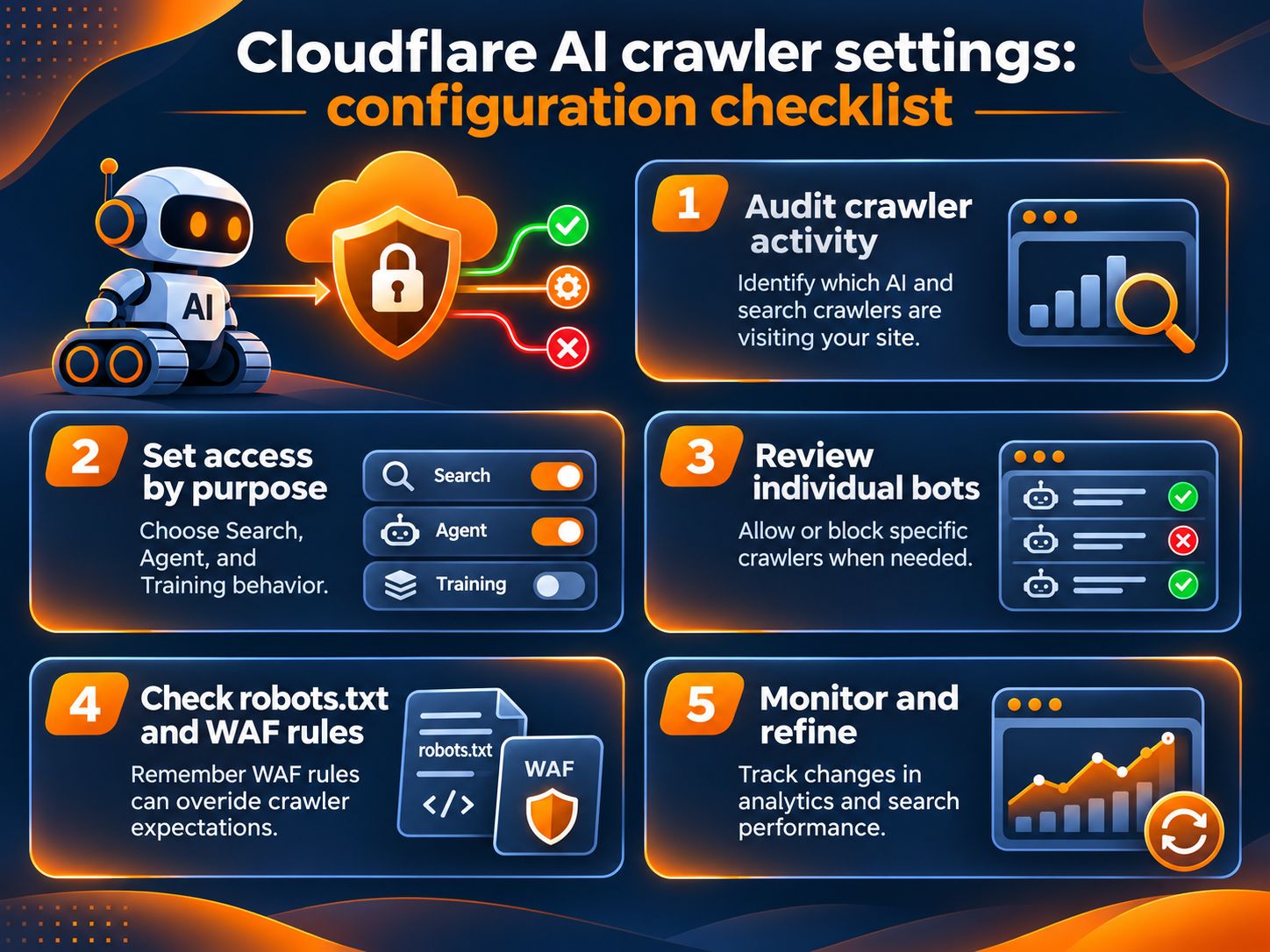
Step 1: Establish a written access policy
Start by listing what you want each category to do. A publisher might permit Search crawlers to discover public guides, allow selected agents to retrieve public documentation, and block known Training crawlers. Another organization might prohibit all third-party collection from a private section while allowing normal public search access. Neither approach is universally correct.
Separate public pages, customer-only resources, sensitive routes, and staging environments. Define which endpoints must never be exposed. Access controls at the edge complement authentication, but do not replace it. If something is confidential, it should not be protected only by telling automated systems not to fetch it.
Assign an owner to the policy. The marketing team may understand content-distribution goals, while developers and security teams understand rule interactions and request logs. Publishing a short decision record makes future reviews much easier.
Step 2: Review the behavior-based controls
In the Cloudflare dashboard, select the account and domain. Navigate to Security > Settings, filter for Bot traffic, and locate AI Crawler and Agent access policies. Review Search, Agent, and Training separately. For each category, decide whether to allow, block, or use another available action.
A common policy goal is to allow AI crawlers but block AI training. To pursue that goal, consider allowing Search traffic while blocking Training traffic. Pay close attention to mixed-purpose crawlers. Cloudflare states that its Training actions also apply to bots identified as both Search and Training, so a crawler useful for discovery may still be affected by the Training policy.
If the site depends on a particular AI service, inspect that service’s documented crawlers and classification before finalizing the configuration. Make a note of the expected behavior for each important crawler so you can verify it later.
Step 3: Inspect individual crawlers
Open AI Crawl Control, then the Crawlers tab. Cloudflare provides a view of the crawler name, operator, category, requests, robots.txt violations, and current action. Filter by crawler, operator, category, or another available dimension to identify what is actually reaching the site.
For each crawler, ask whether it supports search discovery, user-requested access, training collection, or a different purpose. Determine whether allowing it brings meaningful value. For crawlers you want to permit, select Allow. For crawlers you want to reject, select Block. Record why the decision was made.
Do not assume that the word “Allow” overrides every other security control. An existing WAF rule, bot setting, IP restriction, or authentication requirement may still prevent access. Conversely, a broad skip rule may inadvertently bypass protections. Validate outcomes rather than relying solely on the label displayed in the policy screen.
Step 4: Review other Cloudflare bot protections
Cloudflare’s bot protection and AI Crawl Control have a specific order of evaluation. The vendor documents that AI crawler blocking uses WAF custom rules and can interact with other bot solutions. Certain broad or earlier security rules can prevent requests you intended to allow; skip rules and other transformations can also alter how blocking works.
Review existing custom WAF rules for broad conditions on user agents, automation scores, countries, or request paths. Inspect whether verified search engines such as Googlebot and Bingbot are treated appropriately. Cloudflare’s documentation includes a troubleshooting discussion for allowed crawlers blocked by upstream rules and blocked crawlers bypassing expected protection.
Avoid solving every crawler problem by allowing all verified or self-described bots. A rule should be limited to the specific legitimate behavior you intend to support. If you are unsure about precedence, test a small change in a controlled manner and review logs before expanding it.
Step 5: Check robots.txt and response behavior
The file at /robots.txt is an important communication channel between sites and cooperative crawlers. It can express which paths a named crawler is discouraged from visiting. However, robots.txt is a voluntary convention; it is not equivalent to authentication, and noncompliant clients may ignore it.
Cloudflare can help enforce certain crawler preferences at the edge, depending on the selected product features. Keep that distinction explicit: an AI crawler blocking robots.txt directive alone is not a guarantee that requests will stop. If requests must be technically rejected, configure appropriate edge or origin controls and validate the status codes.
Review robots.txt whenever you introduce a new rule. Make sure that standard search crawlers can still access the publicly indexable resources they need. Accidentally disallowing product pages, JavaScript resources, images, or documentation can undermine search performance for reasons unrelated to AI.
Step 6: Test and monitor
After applying the policy, review request activity in AI Crawl Control and Cloudflare security analytics. Look at which crawlers request pages, whether they are blocked or allowed, the status codes returned, and whether unexpected routes attract repeated traffic. Compare the observed outcome with your policy record.
Build a small testing matrix that covers a public guide, a product page, a resource page, and a private route. Confirm that expected public search access remains possible and that restricted routes still require authentication. Test important changes after future Cloudflare dashboard updates because platform features and defaults can evolve.
Finally, evaluate Google Search Console separately. AI traffic reports do not tell you how many Google URLs will be indexed. A stable access policy should be measured by compliance and access outcomes first, with organic search trends as a longer-term diagnostic signal.
 Cloudflare AI crawler settings: How to Whitelist AI Crawlers in Cloudflare?
 Cloudflare AI crawler settings: How to Whitelist AI Crawlers in Cloudflare?
The question “how to whitelist AI crawlers in Cloudflare?” usually means allowing one named crawler without making the entire website broadly accessible to automated clients. In practice, first identify the crawler and verify its operator and purpose through authoritative documentation. Then use AI Crawl Control to select Allow for that crawler, where the feature offers the intended control.
If a crawler still receives errors, inspect Cloudflare WAF custom rules, general bot configuration, and any authentication or firewall restrictions at the origin. Do not assume that the allow setting takes precedence over a previously configured block. Cloudflare specifically advises reviewing upstream WAF rules when an allowed crawler is still being denied access.
A Cloudflare AI crawler allow list should therefore be treated as a maintained policy inventory, not a permanent blanket exception. Record the crawler name, expected user agent or verified identification method, business purpose, accessible routes, policy owner, and review date. Reassess the inventory when a service changes its crawler behavior.
The security and discovery goals must be balanced. Search-oriented crawlers may help outside systems find public content, but allowing them provides no guaranteed SEO benefit. If a site operator wants an AI assistant to access content only when a person asks for it, the Agent behavior policy may be more appropriate than simply allowing every Search crawler.
When possible, restrict exceptions to the required traffic rather than bypassing the entire security stack. Broad skip rules may weaken unrelated defenses. Test the desired crawler’s actual access, then review the same route through a normal browser and through Google Search Console’s URL Inspection tool to detect unexpected differences.
Cloudflare AI crawler settings: Robots.txt, Search, and Training
The phrase “allow AI crawlers but block AI training” describes a policy objective, not a single universal switch. A bot can have multiple purposes, and not every operator publishes the same documentation about how its crawlers use content. Review the policy categories and assess exceptions on an operator-by-operator basis.
Consider three cases. A Search crawler is collecting publicly accessible material for an index; your site may benefit from discovery, although no referral is guaranteed. An Agent is retrieving a page because a user asked a question; allowing that request can support a user task. A Training crawler is collecting material for model improvement; the site owner may prefer to block that activity. Cloudflare’s behavior categories aim to make these choices more manageable.
Use a combination of Cloudflare controls and documented robot directives as appropriate. The two mechanisms communicate different things: robots.txt expresses a preference to cooperative bots, while edge security controls can reject matching requests. When enforcement is needed, inspect the exact response from the network, not just the robots.txt text.
For mixed-purpose services, understand trade-offs. If Training policy also covers a crawler used for Search, the block can constrain discovery by that service. If an organization has content-licensing agreements or specific compliance requirements, those obligations should inform the policy. This technical guide does not replace legal advice or a service agreement.
A workable Cloudflare AI crawler configuration guide should also account for the user experience. Avoid overly broad security challenges that prevent legitimate users, accessibility tools, or authorized software from accessing important public pages. Watch your error rates following any major rule change.
A practical policy table
| Traffic purpose | Typical consideration | Review before applying |
|---|---|---|
| Search | Permit discovery of useful public content where appropriate | Operator, mixed-purpose classification, route access |
| Agent | Permit user-initiated tasks where appropriate | Authentication, rate limits, sensitive endpoints |
| Training | Allow, disallow, or block according to policy | Mixed-purpose bots, enforcement behavior, licensing |
| Conventional search | Preserve Googlebot and other legitimate indexing access | robots.txt, WAF interactions, origin health |
| Unknown automation | Investigate rather than blindly trust | Logs, signatures, behavior, security controls |
The table is a decision framework, not a claim that every crawler will obey the same policy. Test the actual result for services that matter to your site.
Cloudflare AI crawler settings: Crawl Budget and Google Indexing
An important distinction: Cloudflare crawler controls govern incoming requests, while Google’s crawl budget describes how much Google can and wants to crawl on a given site. One does not automatically determine the other. Blocking an unrelated AI bot might reduce overall server load, but there is no evidence that it directly grants a fixed amount of additional Googlebot crawling.
Google describes crawl budget in terms of crawl capacity limit and crawl demand. Capacity depends partly on site health, response speed, and whether the server returns errors or signals such as HTTP 429. Demand depends on perceived URL inventory, importance, freshness, and other signals. A large number of low-value URLs can create inefficiencies even when the server itself is healthy.
This is where crawl budget search console analysis becomes useful. Google Search Console provides a Page Indexing report, URL Inspection tools, and crawl statistics that help identify patterns. Those reports should be interpreted together with server or CDN logs, because aggregate dashboards may not expose every URL-level request you want to inspect.
Can poor crawl budget cause discovered currently not indexed?
Yes, inadequate crawl capacity or demand can contribute to some URLs remaining “Discovered – currently not indexed,” especially on large sites or sites whose resources prevent Google from fetching all eligible pages promptly. However, that status is not proof that crawl budget is the sole cause. Google may simply not have prioritized a particular URL yet.
To investigate, examine how many important URLs remain in that category, whether the problem is concentrated in a directory or template, and whether Googlebot has requested those URLs. Compare timing with site outages, response-time increases, duplicate URL growth, or major content changes.
For a small website with normal server health and only a handful of delayed pages, broad crawl-budget engineering may be unnecessary. Prioritize page usefulness, internal links, accurate sitemaps, and technical accessibility. Google’s guidance says crawl-budget optimization is primarily relevant to very large or rapidly changing sites or those with substantial discovered-but-not-indexed inventories.
Can crawl budget cause discovered currently not indexed pages?
It can contribute, but the diagnostic question should be broader: why would Google delay crawling these URLs? Possible contributing factors include low demand, duplicate or near-duplicate URL inventories, weak internal discovery, overloaded hosts, and inconsistent responses. Some URLs may be discoverable but not considered worth crawling immediately.
Inspect representative URLs rather than assuming that every entry has the same cause. Check whether they return 200 when fetched, resolve to the intended canonical URL, and are linked from relevant pages. Ensure the XML sitemap contains the URLs you want indexed and uses accurate modification information where appropriate.
Do not submit the same unchanged sitemap repeatedly in an attempt to force action. Google treats sitemap entries as discovery hints, not commands or indexing guarantees. Removing low-value URL combinations and improving content quality generally offers a stronger long-term strategy than chasing a mythical universal crawler quota.
How does Google crawl budget work?
Google’s crawling systems attempt to balance site capacity with crawl demand. If the host becomes slow, unavailable, or heavily rate-limited, crawling can decrease. If Google believes more URLs should be refreshed and the site responds reliably, it may crawl more. Conversely, high capacity does not force more crawling if demand is low.
Google recommends reducing unnecessary URL inventory, eliminating or consolidating duplicates, keeping sitemaps current, avoiding long redirect chains, and improving server response performance. Removed URLs should return appropriate 404 or 410 responses rather than indefinitely creating soft 404s.
Where possible, serve caching responses such as 304 Not Modified when the content has not changed. Use robots.txt thoughtfully for unwanted crawl spaces, but avoid using noindex as an indiscriminate crawl-budget tool because Google must fetch the page to see the directive.
For most ordinary sites, a healthy sitemap, good navigation, useful content, and regular Search Console reviews are enough. A server-side crawl audit becomes more important when the scale or symptoms justify it.
Using NytroSEO Alongside Crawler Access Controls
Crawler access policies and on-page search optimization solve different problems. Cloudflare helps define whether automated clients can retrieve content. On-page optimization helps a crawler understand what an accessible page is about and how well its metadata corresponds to relevant queries.
NytroSEO describes its platform as adaptive SEO and AEO software that automates on-page metadata work, including titles, descriptions, image alt text, anchor text, Open Graph tags, and conversational question optimization. Its website says the software analyzes page content and keyword relevance to generate or update metadata.
The practical workflow is straightforward. First, ensure important pages are reachable through the intended crawler policies and normal site navigation. Second, improve content quality and confirm that each page answers a distinct search intent. Third, use an on-page optimization workflow to keep metadata consistent with what the page actually says. Fourth, measure results in search performance reports rather than assuming that any particular tool or access setting guarantees rankings.
NytroSEO should not be described as a Cloudflare traffic-control product. Likewise, switching a bot to Allow in Cloudflare does not rewrite titles, fix missing descriptions, or improve thin content. Combining separate access and content workflows is useful precisely because each addresses a different layer of discoverability.
For a multi-page site, establish a repeatable review schedule: security and crawler access after material Cloudflare changes; metadata and internal linking after content publication; and indexing diagnostics when Search Console identifies a meaningful pattern. Keep records so you can distinguish access mistakes from content or quality issues.
Common Mistakes and How to Avoid Them
Blocking all bots because of AI training concerns. A single blanket policy may affect helpful search services, user-requested agents, or conventional indexing. Begin with behavior-based categories and assess mixed-purpose bots.
Assuming a robots.txt rule is mandatory for every client. The robots convention is voluntary unless combined with technical enforcement. Use edge restrictions or authentication when requests must be denied.
Treating a user-agent string as authoritative identification. Many clients can claim a familiar name. Where available, use Cloudflare’s stronger bot identification and documented verification approaches.
Creating an allow rule without checking precedence. A prior WAF rule may still block the crawler, while a broad bypass can weaken another control. Inspect logs and test the exact target route.
Confusing an access improvement with indexing. A fetchable page is not guaranteed to appear in Google or an AI answer. Search engines consider multiple signals beyond raw accessibility.
Making several changes at once. If you alter bot policies, robots.txt, internal linking, templates, and sitemap output simultaneously, it becomes difficult to know what caused the result. Use staged changes and written observations.
Optimizing for a single status label. “Discovered – currently not indexed” should trigger diagnosis, not an automatic assumption that a website needs more server capacity. Review patterns at the directory, template, and host levels.
Ignoring content governance. Crawl permissions may have licensing, privacy, and commercial implications. Coordinate with the appropriate stakeholders for sensitive or contractually restricted content.
Failing to revisit the policy. Cloudflare’s products evolve, as do crawler operators and their behaviors. Recheck dashboards and documentation periodically rather than assuming every classification remains static.
Frequently Asked Questions
What is the difference between AI Crawl Control and behavior-based AI policies?
AI Crawl Control lets site owners inspect activity and manage individual crawlers. Cloudflare’s behavior-based policies let them specify actions for Search, Agent, and Training traffic. The tools are complementary, and other security rules can affect their results.
Can I allow AI search crawlers while blocking model training crawlers?
Cloudflare provides separate Search and Training controls, so this is a supported policy objective. However, a crawler classified for both purposes can be affected by Training restrictions. Confirm classifications and test important services after configuration.
Does robots.txt stop AI crawlers from accessing a website?
Not necessarily. Robots.txt states preferences for cooperative crawlers, but clients can ignore it. A Cloudflare enforcement option or other edge/origin access control is needed when the goal is to technically reject matching requests.
Will blocking AI training bots improve my Google rankings?
No direct ranking improvement should be assumed. Blocking unrelated automation may reduce some server traffic, but Google’s indexing and ranking decisions follow separate processes. Preserve conventional search access and assess site quality independently.
Why do some pages remain “Discovered – currently not indexed”?
Google knows about those URLs but has not crawled them at the time of the report. Limited crawl capacity or demand may contribute, particularly on larger sites, but other priorities and technical conditions matter. Inspect representative URLs and look for a repeatable pattern.
Should I create a crawler allow list for every known AI company?
Not automatically. A better policy records which services have a clear business purpose, which routes they need, and what protections remain in place. Broad exemptions can increase security risk without providing measurable discovery benefits.
Will FAQPage structured data guarantee FAQ results in Google?
No. Google announced the removal of its FAQ rich-result feature from Search documentation in 2026. Structured data can still describe page content for systems that use schema.org, but it should not be marketed as a guarantee of a Google FAQ display.
A Sensible Ongoing Review Routine
Begin each review with the same three questions: Which automated requests are reaching the site? Are the responses consistent with the organization’s access policy? Are public search pages discoverable and technically healthy? These questions keep security, AI-discovery strategy, and conventional SEO connected without confusing their metrics.
For each material policy change, record the date, affected categories, expected traffic outcomes, and responsible owner. Compare request logs before and after the change where the available data supports it. Investigate unusual growth in blocked requests, sudden increases in error responses, or new crawler names that were not part of the previous inventory.
Monitor conventional search visibility independently. Review indexing trends, representative URLs, internal linking, sitemap accuracy, and host response conditions. If Googlebot crawling drops after a Cloudflare configuration change, examine WAF and bot rules first. If it remains healthy but indexing is delayed, investigate inventory quality and demand rather than blaming AI crawler controls.
A successful result is a documented, testable policy that allows the automated access you want, restricts the access you do not want, and leaves legitimate users and search systems able to reach useful public content. That is a more durable standard than attempting to maximize or minimize all crawler requests indiscriminately.