Last updated: September 6, 2026
WordPress runs a large share of the web, which means a large share of SEO work happens inside it — and a lot of that work is repetitive. Writing meta descriptions, adding schema, tagging images, fixing redirects, and keeping titles unique across hundreds of posts can eat hours every week. Automation is how you get those hours back while keeping optimization consistent, and this is the complete guide to automatic seo wordpress: what you can automate, the two ways to do it, how to set it up quickly, and how to scale it to thousands of posts.
There is a second reason this matters more in 2026. SEO on WordPress is now two jobs at once — ranking in classic search and being cited in AI answers — and both depend on the same clean, consistent on-page signals. Doing that by hand across a growing site is exactly the problem our Automatic SEO software is built to solve.
What You Can Automate With Automatic SEO WordPress Tools
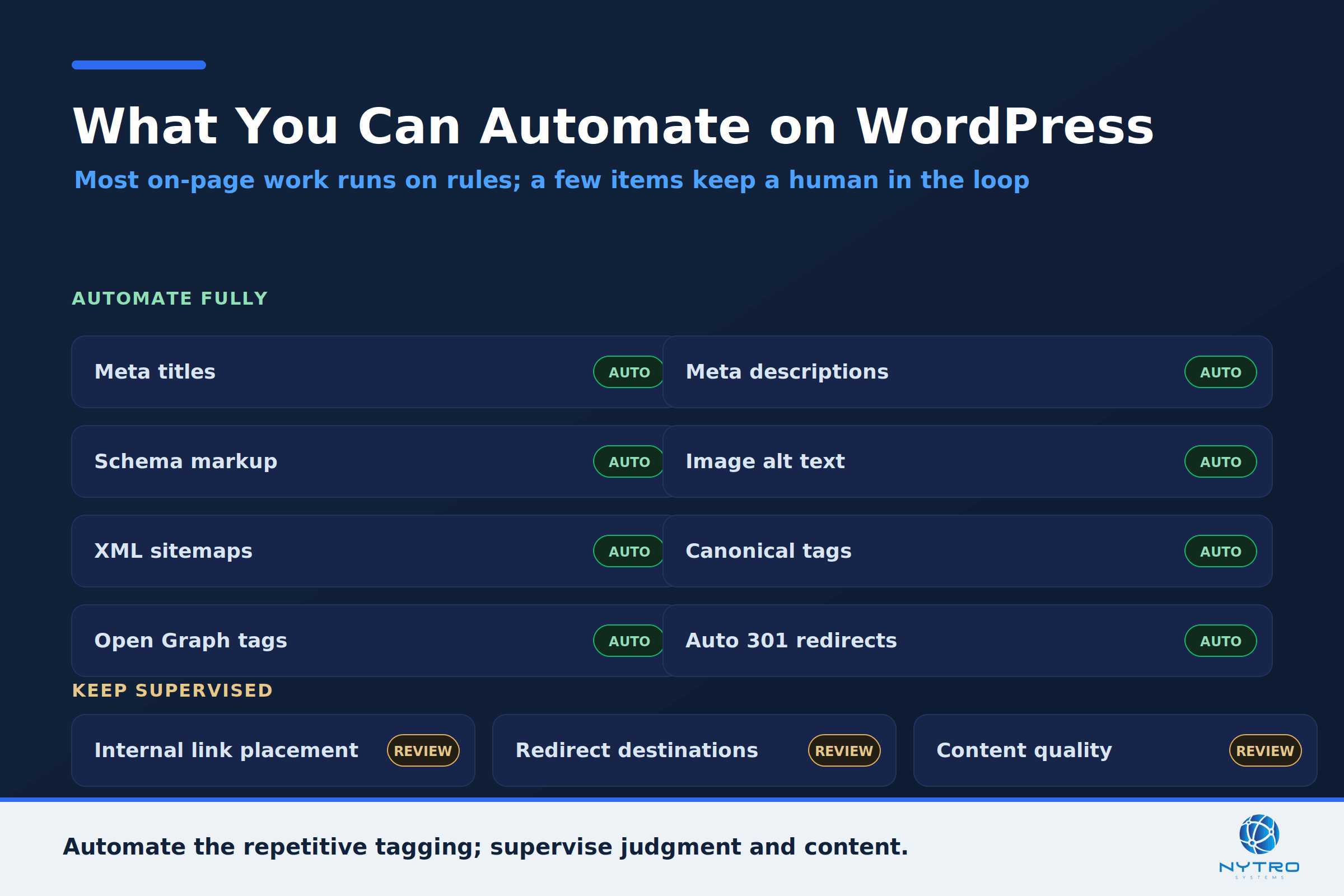
Modern wordpress seo automation covers most of the repetitive on-page work. The elements worth automating fall into a few groups.
Metadata is the core. Titles and meta descriptions can be generated from each post’s content and keyword using templates, so every page ships with a unique, intent-matched snippet instead of a blank or duplicated one. This is where automation pays off fastest, because titles and descriptions are both the most impactful on-page elements and the ones most often left blank or duplicated when they are done by hand — a missing meta description means Google writes its own from whatever text it finds, and a duplicated title makes several of your pages compete for the same query. A template that assembles a unique title and description from each post’s own fields removes that entire class of error at once. Structured data is next: configuring Article, FAQ, HowTo, or Product schema at the post-type level means every new post of that type gets valid structured data automatically, with no manual JSON-LD. Images can be handled too, with alt text generated from filenames or post titles so accessibility and image search do not depend on someone remembering. And the technical housekeeping — XML sitemaps, canonical tags, and Open Graph tags for social previews — is generated and maintained without thought once configured, following the fundamentals in Google’s SEO starter guide and the WordPress SEO documentation.
Two areas are partly automatable but still need judgment. Redirects can be triggered automatically when a slug changes, preventing broken links, though deciding where older redirects should point is a human call. Internal link suggestions exist in most tools, but they typically propose links rather than place them, so true internal linking automation needs a dedicated layer. Knowing what to automate fully and what to keep supervised is half of doing this well.
Performance sits alongside these as a partly automatable factor. Core Web Vitals are a real ranking and experience signal, and much of what improves them on WordPress can be set once — caching, image compression and WebP conversion, and lazy loading — then left to run, with guidance like web.dev’s on optimizing Core Web Vitals worth following. The judgment part is choosing a fast theme and hosting in the first place; after that, the repetitive optimization can largely be automated at the server and plugin level.
“On WordPress the two failure modes are opposite extremes — doing everything by hand, or letting two plugins fight over the same tag. Neither scales. Pick one source of truth for each tag, automate the repetitive metadata, and keep a human on the content. Google rewards genuine writing and punishes mass-produced filler.” — Lee Agam, founder and CEO of NytroSEO.
The Two Approaches to Automatic SEO WordPress: Plugins vs a JS Snippet
There are two ways to deliver automatic seo wordpress, and they are not mutually exclusive.
The first is the plugin approach. A full-suite SEO plugin — Yoast, Rank Math, All in One SEO, SEOPress, or Squirrly — writes your metadata and schema into the page server-side, and each offers templates and, increasingly, AI assists for titles and descriptions. The single most important rule here is to run only one full-suite plugin: Yoast and Rank Math both try to control the same meta fields and schema, so running two produces duplicate, conflicting tags that confuse search engines rather than help. Pick one, configure it well, and add specialist tools only around it.
It helps to know how the main options differ. Rank Math is known for a generous free tier — many schema types, a redirect manager, and 404 monitoring without paying — and has added forward-looking touches like llms.txt support and an AI search traffic tracker. Yoast, the plugin that defined the category, pairs a simple traffic-light workflow with an AI add-on that proposes title and description variants on its paid tier. All in One SEO and SEOPress round out the serious full-suite options, with SEOPress and AIOSEO’s agency tiers adding white-labeling for people managing many client sites. They all cover the same fundamentals competently; the choice usually comes down to your site type, how much you want a guided wizard versus granular control, and whether you need multi-client management. The point for automation is that any one of them, configured once at the post-type level, will optimize new content on publish.
The second is the JS-snippet approach, which is how NytroSEO works. Instead of managing tags post by post, it applies metadata rules through a single header snippet across the whole site, so you control titles, descriptions, canonicals, and structured data without editing each post — a form of on page seo software that sits on top of whatever theme and plugins you already run. The two approaches can coexist, with one important discipline: designate a single source of truth for each tag. Let the snippet own the tags you want automated by rule and let a plugin own the rest, so nothing is set twice. An honest note on rendering: the snippet’s metadata is read by engines that render pages, chiefly Google, while WordPress already server-renders your post content so it is visible to non-rendering AI crawlers on its own. For metadata that non-rendering crawlers must also read, keep your server-side essentials sound as well.
How to Set Up Automatic SEO WordPress in Under an Hour
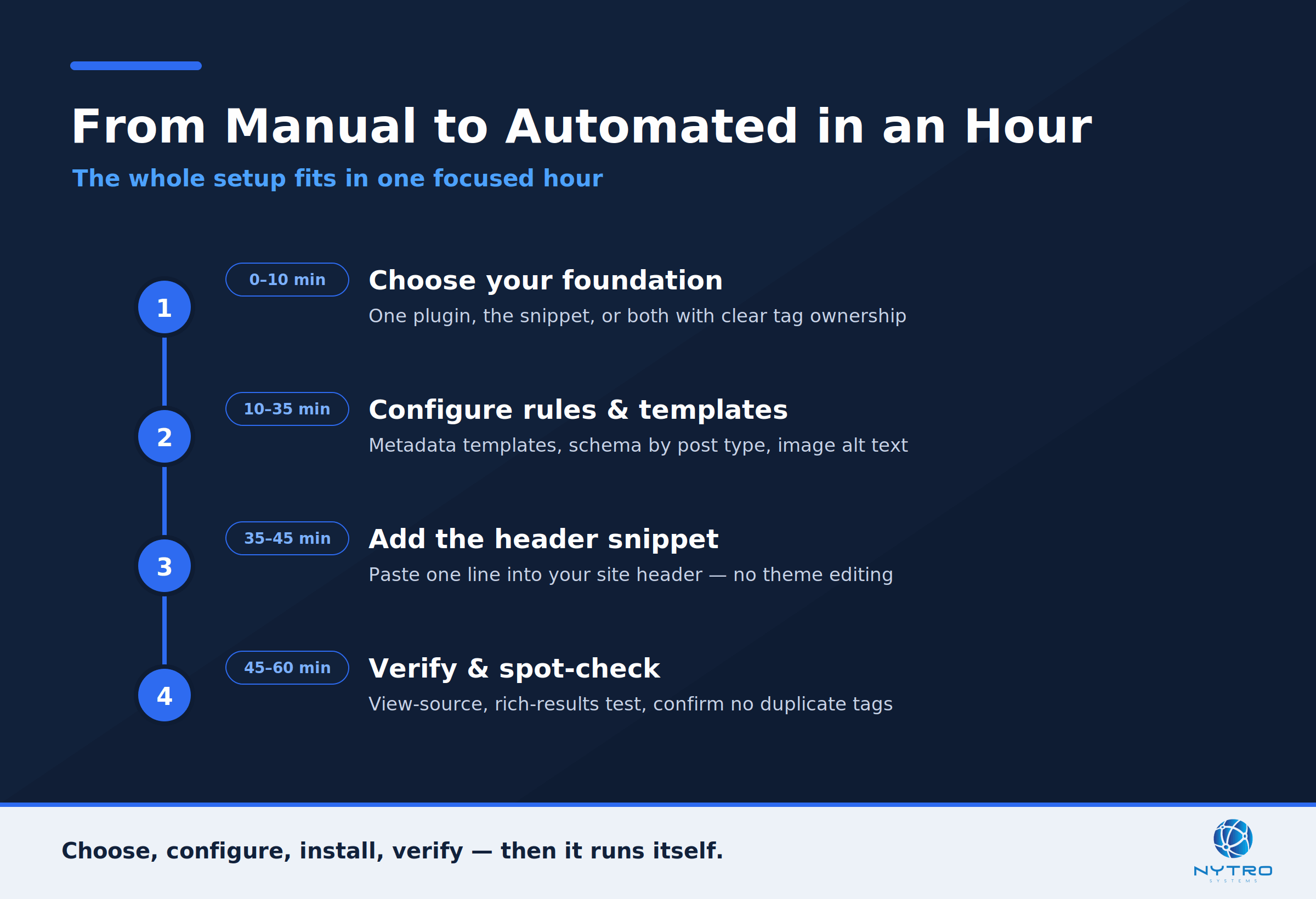
You do not need a migration to get this running. A focused hour is enough to move from manual to automated, and the sequence below is the fast path, expanded in our guide on how to automatically optimize any website in an hour.
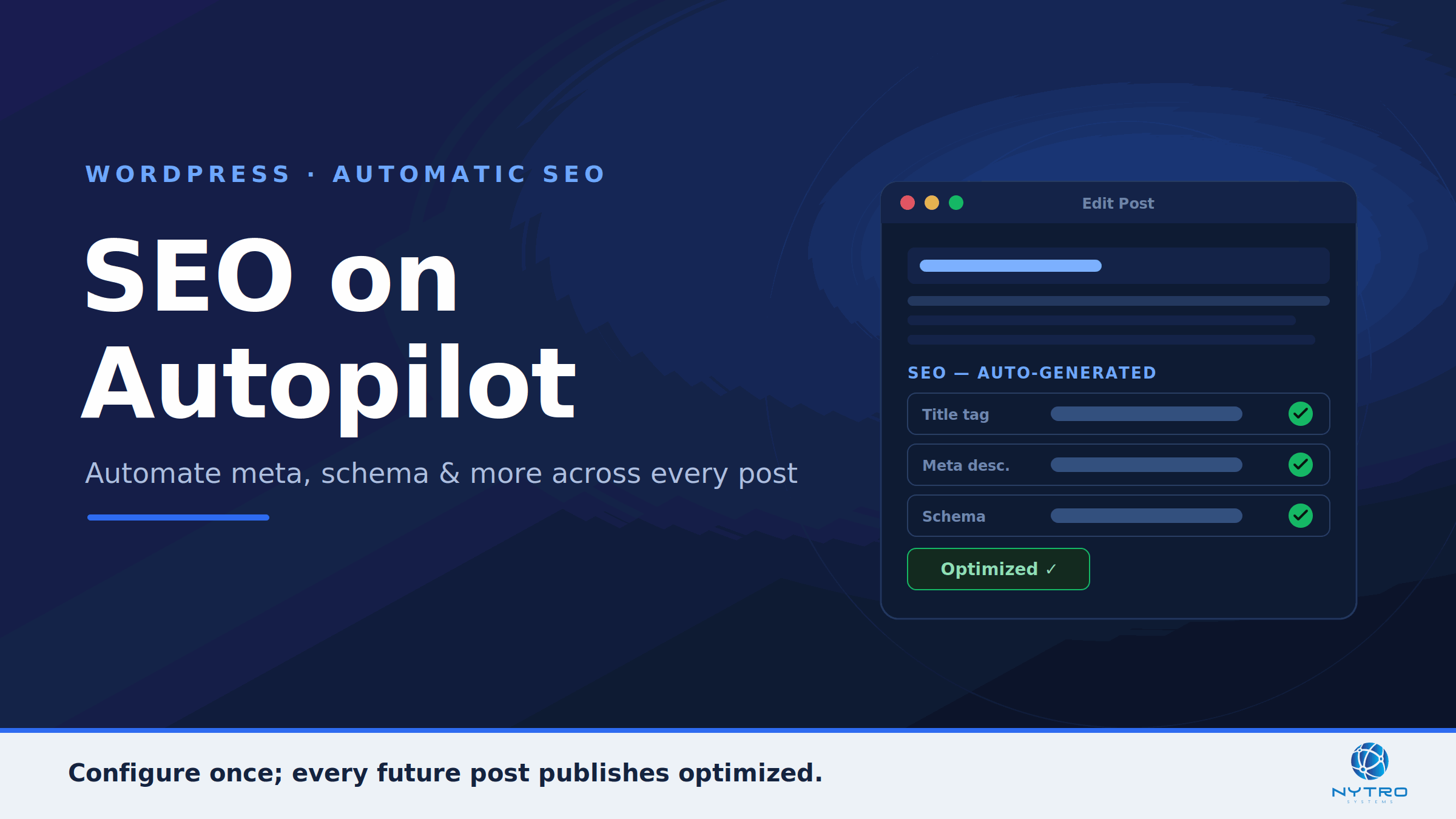
Start by choosing your foundation: one full-suite plugin, the snippet, or both with clear ownership of each tag. Next, configure the rules — metadata templates that pull from post data, schema by post type, and image alt-text generation — so new content is optimized on publish. Then add the delivery layer: installing the NytroSEO snippet is a matter of pasting one line into your site header, as shown in our snippet installation guide, with no theme editing required. Finally, verify: spot-check a few pages’ titles, descriptions, and structured data with a rich-results test and your browser’s view-source, and confirm nothing is duplicated. That is the whole loop — configure once, and every future post inherits it. This is what makes automatic seo the default state of the site rather than a task.
A short note on what “under an hour” really buys you. The hour is not the point; the compounding is. Every post you would otherwise have optimized by hand — at a few minutes each — is now handled the moment it publishes, so on a site that adds even a handful of posts a week, the setup pays for itself within days and keeps paying indefinitely. The manual alternative is not just slower; it degrades over time as busy weeks mean skipped meta descriptions and forgotten schema, while the automated baseline never has an off day. Consistency, not speed, is the real return.
Automatic SEO WordPress for Large Sites With Thousands of Posts
The value of seo automation wordpress grows with the post count. On a site with thousands of posts, hand-editing metadata is not just tedious, it is impossible to keep current, and this is where rules earn their place. A template that builds a title from the post’s topic, category, and brand produces a unique title for every one of ten thousand posts the moment they publish, and updates them all if the pattern changes.
For teams that want programmatic control, WordPress exposes a REST API that can update content and metadata at scale, secured with Application Passwords rather than exposed admin credentials. One caution worth knowing: some plugins store SEO fields in their own way, so standard endpoints can silently drop plugin-specific metadata unless you use the plugin’s own API. Whether you drive it by API or by a snippet’s rules, the principle of wp seo automation on large sites is the same as anywhere else at scale — work at the level of templates and rules, keep your highest-value pages under manual override, and monitor index coverage so a bad rule is caught early. Large WordPress sites live or die by this discipline.
There is also a crawl dimension that only appears at scale. A large WordPress site can generate a surprising number of low-value URLs — tag and category archives, author pages, paginated feeds, and attachment pages among them — and left unmanaged, these dilute crawl budget and can end up competing with your real content. Part of automating SEO on a big WordPress site is deciding, at the template level, which of these URL types should be indexed and which should be excluded or consolidated, then letting your configuration enforce that consistently. The metadata automation puts unique, correct tags on the pages that matter; the crawl configuration makes sure those are the pages Google actually spends its time on. Both are rules-level decisions, and both scale far better than post-by-post cleanup.
Automating WordPress SEO Safely
Automation is leverage, and leverage cuts both ways, so a few guardrails keep it safe. Never run two full-suite plugins at once, to avoid duplicate tags. Keep a human in the loop on content, because Google rates low-effort, mass-generated AI content as low quality — automation should handle metadata and structure, not replace genuine writing. Preserve manual overrides on flagship pages. And monitor after any rule change, watching Search Console for shifts in impressions and coverage so a mistake surfaces in days, not months. Treated with those guardrails, automation is simply consistency applied at scale.
The most common way automation goes wrong on WordPress is not dramatic — it is quiet. A plugin update changes a default, two tools start setting the same tag, or a template pattern turns out to truncate titles on a particular post type, and because the change is sitewide, it affects thousands of pages before anyone notices. This is exactly why the monitoring guardrail matters: a five-minute weekly glance at Search Console’s coverage and performance reports, plus a spot-check after any configuration change, catches these quiet regressions while they are still small. Automation does not remove the need to pay attention; it changes what you pay attention to, from typing tags to watching that the system producing them stays healthy.
A Worked Example: A 3,000-Post Blog on Autopilot
Consider a publisher with roughly 3,000 posts built up over years. Metadata was a mess: hundreds of posts had no meta description, dozens shared duplicate titles from an old import, and structured data existed only where someone had remembered to add it. Fixing it by hand would have meant weeks of tedious editing, and the archive kept growing faster than anyone could catch up.
The team took the rules route. They kept a single full-suite plugin for baseline server-side tags, then layered a snippet to apply title and description templates across the whole archive by rule — pulling each post’s topic and category into a unique, length-appropriate title, and generating descriptions where they were missing. Article schema was configured once at the post-type level so every post carried it. Flagship guides kept hand-written metadata through overrides. The cleanup that would have taken weeks of manual work applied across all 3,000 posts at once, and every new post now publishes optimized by default. The editors went back to writing, and the metadata simply takes care of itself.
The Bottom Line on Automatic SEO WordPress
WordPress makes publishing easy and SEO repetitive, and automation resolves that tension. Decide what to automate — metadata, schema, alt text, sitemaps — choose your delivery through a single well-configured plugin, a header snippet, or both with clear ownership, set it up in about an hour, and scale it with rules rather than manual edits. Keep the guardrails in place, and a WordPress site of any size can stay consistently optimized for both search and AI answers without anyone editing posts one at a time.
Want to see what search engines and AI agents currently read on your WordPress site? Run a free visibility check, or talk to us about automating on-page SEO across every post.
Frequently Asked Questions
Yes. Most on-page SEO on WordPress can be automated: meta titles and descriptions from templates, structured data by post type, image alt text, sitemaps, canonicals, and redirect handling. You can do it with a full-suite plugin, with a header snippet that applies metadata rules sitewide, or both. Content quality and redirect decisions still need human judgment, but the repetitive tagging work does not.
It does not have to, as long as you keep one source of truth per tag. Running two full-suite plugins together causes duplicate meta and schema, so use only one. A JS snippet like NytroSEO can run alongside a plugin if you let the snippet own the tags it automates and the plugin own the rest, so no tag is set twice with conflicting values.
You add one line of JavaScript to your site’s header. On WordPress that usually means pasting it into your theme’s header area or using a header-scripts option or a small header-footer plugin, with no theme code editing required. Once it is in place, the snippet applies your metadata rules across every page automatically, and you verify by viewing a page’s source and running a rich-results test.
Yes, and that is where it helps most. Rules generate unique metadata and schema for every post from its own data, so a ten-thousand-post site is optimized the same way a ten-post site is, without manual editing. For programmatic control, the WordPress REST API with Application Passwords can update fields at scale, keeping your highest-value pages under manual override.
Yes, with guardrails. Run only one full-suite plugin, keep manual overrides on important pages, keep a human in the loop on content since Google penalizes low-effort mass-generated text, and monitor Search Console after rule changes. Automation applied to metadata and structure is safe and consistent; the risk comes from over-automating content or letting two tools fight over the same tags.