A potential customer asks ChatGPT, “Which local companies offer same-day service, and where can I book?” Your company might be a good fit. But if the answer points to an old website, confuses you with a similarly named business, or overlooks the service the customer needs, even a brand mention can lead nowhere.
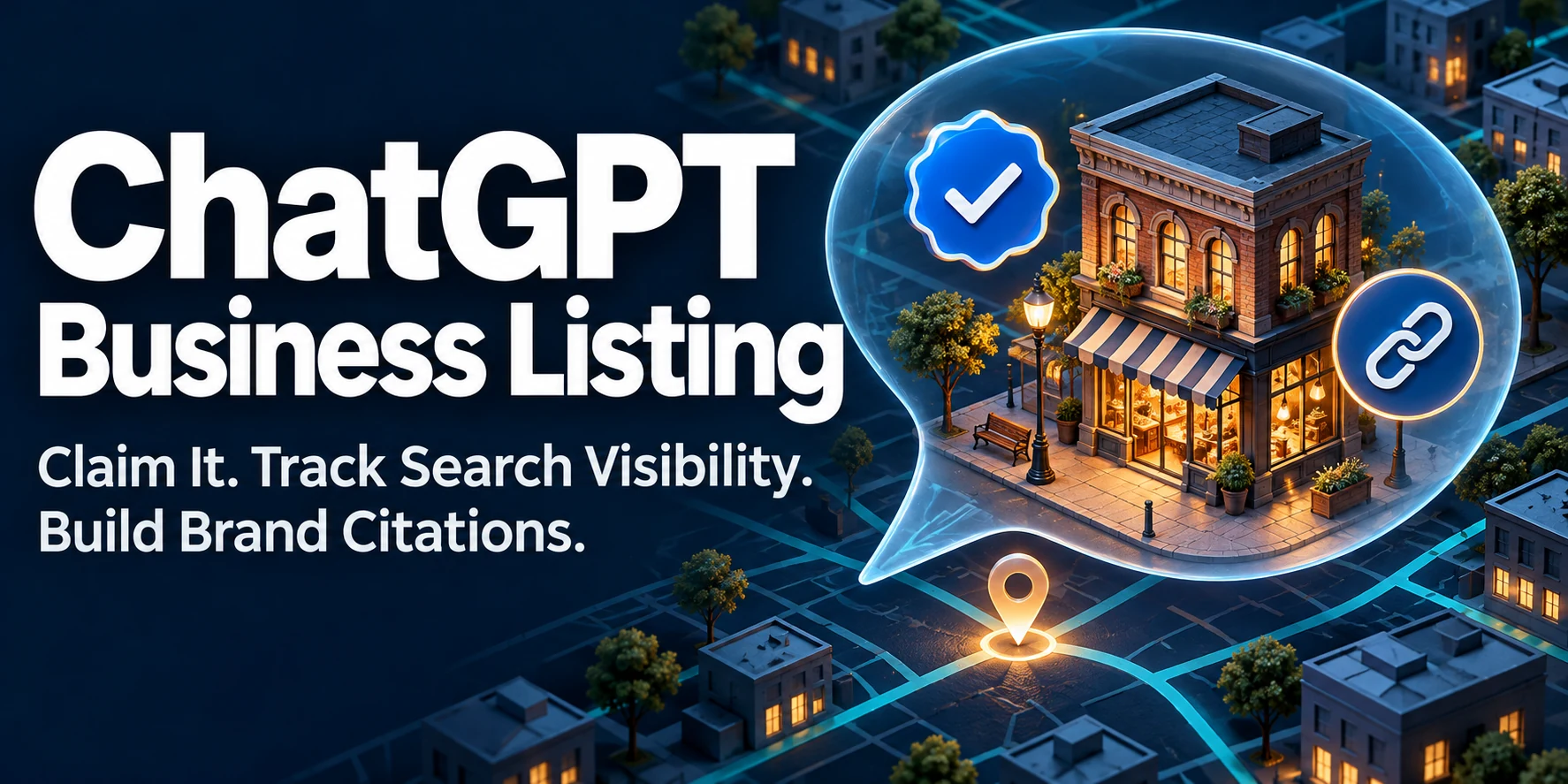
How do you claim a ChatGPT business listing, track visibility, and boost your brand citations? Open ChatGPT Business Hub, find the correct listing, and follow the verification options available for your business. Once approved and verified, update the profile and use Business Hub Insights to track mentions and website clicks. To work on citations, publish clear, current pages that answer specific customer questions, then check which sources ChatGPT actually cites. OpenAI says claiming an existing profile does not change its visibility in ChatGPT. The listing helps you manage business information that ChatGPT may use alongside other sources. (OpenAI Business Hub setup guide, ChatGPT Search documentation, OpenAI announcement)
What a ChatGPT business listing can do for your brand
Your listing helps address three questions that come up when customers research a company: Which business is this? What does it offer? Where can I check the details? Your official domain helps distinguish you from similarly named companies. Your category and description explain what you do. The pages on your website help customers verify the details that matter before buying, booking, or requesting a quote.

Imagine two companies called Harbor Home Services. One offers emergency plumbing in a metro area. The other sells home maintenance subscriptions online. A customer with a burst pipe needs a company that serves their address and can take an emergency call. A clear business description helps establish which company is relevant. A current service-area page can answer whether it covers the customer’s town and how to request help.
That distinction matters when you evaluate ChatGPT AI search visibility. A broad mention might put your name in front of a customer. An accurate answer with a relevant source can help the customer decide whether to contact you. If you run a local business, the fact that matters might be whether you serve a specific ZIP code. For an online retailer, it might be whether a particular item can be returned. For a B2B company, it might be which industries you support and what the service includes.
OpenAI introduced Businesses in ChatGPT in beta on November 10, 2026. Verified businesses can update key details, and retailers can provide product feeds with pricing and availability. OpenAI says ChatGPT may use the information a business provides when answering questions. Your profile and website are therefore worth reviewing together. If a company changes domains or discontinues a service, an update in one place can still leave outdated information elsewhere. (OpenAI announcement, OpenAI Business Hub setup guide)
How to claim your business on ChatGPT
An owner or authorized representative can claim an eligible business. Availability depends on factors such as the business type, location, and supported verification options. Before you start, identify the account that should manage the listing and who can access the relevant business inbox, phone number, website domain, or Shopify store. (OpenAI Business Hub setup guide)
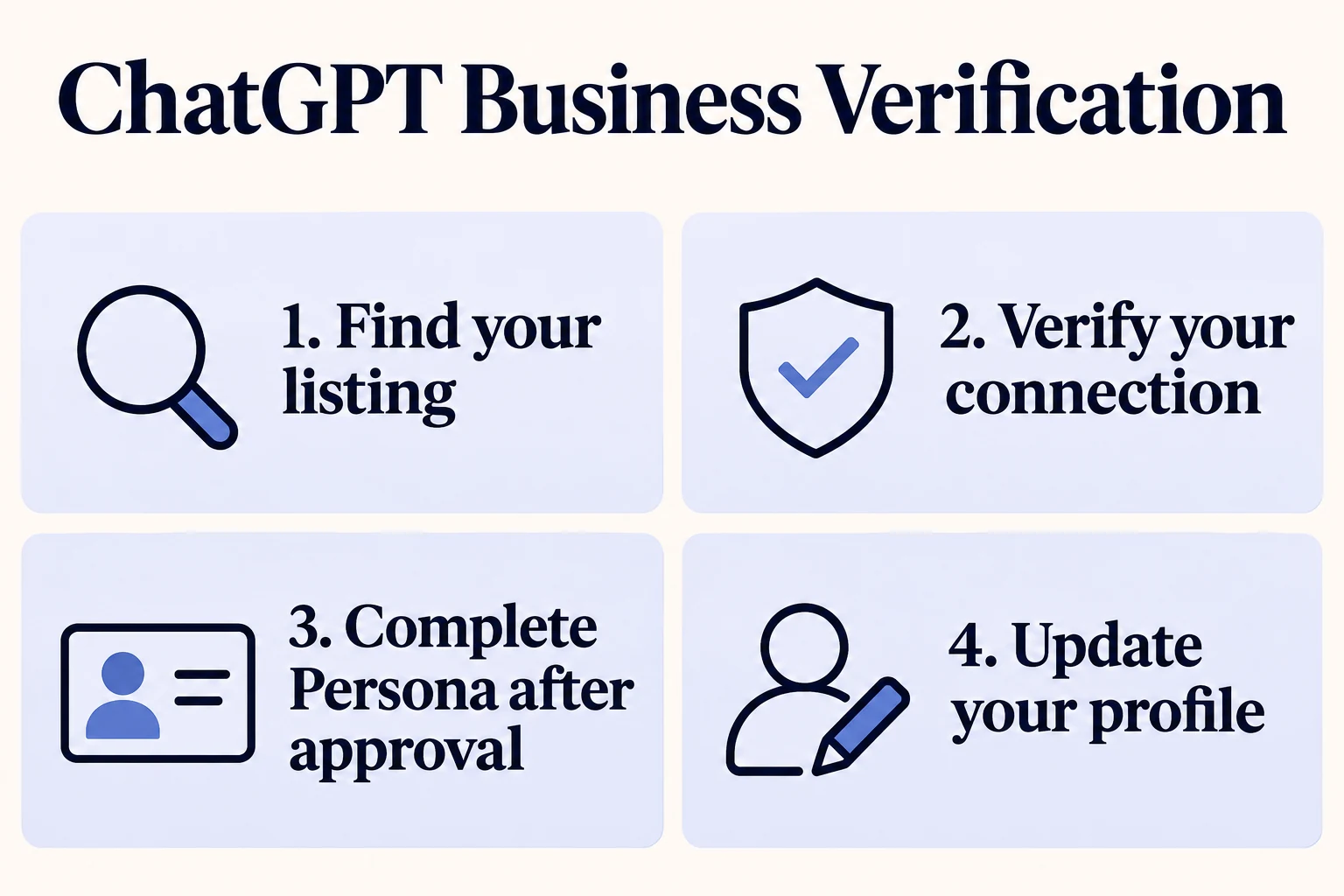
1. Sign in and find the correct listing
Open Business Hub and search using the name customers recognize. If several results look similar, check the details shown before claiming one, especially when your business shares a name with another company or has multiple locations. Confirm which ChatGPT account will manage the listing. If OpenAI sent you a claim invitation, sign in using the email address that received it. (OpenAI Business Hub setup guide)
2. Choose an available ChatGPT business verification method
Follow the options shown for your listing. A phone or email option may let you enter a code. Website domain verification asks you to add the supplied DNS TXT record, then return to Business Hub to verify the domain. Shopify verification asks you to connect the associated store and review the requested permissions. If an agency manages your DNS, send it the exact record displayed in Business Hub. (OpenAI Business Hub setup guide)
3. Wait for the claim decision and complete Persona verification
OpenAI reviews the claim and emails a decision or a request for more information. After an existing claim is approved, complete Persona identity verification to publish changes and access Insights. Persona may request identification, business registration information, or proof of authorization. If you create a new profile through Persona, OpenAI’s approval automatically publishes it, so review the details before submitting. (OpenAI Business Hub setup guide)
4. Update the information customers need
Start with the official website, business category, and description. Describe the products or services people can actually buy or book. Add your logo and applicable policies, then check that those policies agree with the versions on your website. OpenAI reviews profile changes, and approved updates can take time to appear. (OpenAI Business Hub setup guide)
A description such as “We offer comprehensive solutions” leaves a customer guessing. “We provide on-site and remote IT support for small law firms in northern New Jersey” gives the reader an offering, an audience, and a service area. Use that level of specificity when the details accurately describe your business.
What if you can’t find the business? Eligible online businesses may see an option to add a profile. Under OpenAI’s current rules, local stores and restaurants can only claim an existing U.S. listing. If your listing is locked, use the support option shown. If another party has already claimed it, OpenAI provides an ownership dispute process for authorized representatives. (OpenAI Business Hub setup guide)
Give ChatGPT better sources to cite about your business
Start with questions people ask when they are close to making a decision. “Do you deliver to my ZIP code?” is more useful to work on than a broad query like “What are the best stores?” You can answer the first question with a delivery page that specifies coverage, exceptions, and how customers can check an address. You can also verify whether an AI answer accurately reflects that page.
Put each important fact on a page that can support it
| What a customer wants to know | Which page should answer it | What to include |
|---|---|---|
| “Do you serve my town?” | Location or service-area page | Places served, relevant limits, and how to check availability |
| “What does this service include?” | Dedicated service page | Scope, exclusions, and the next step to request a quote |
| “Can I return an opened item?” | Returns policy | Conditions, time window, exceptions, and how to start a return |
| “Does this product work with my equipment?” | Product or compatibility page | Supported models or specifications and any known limitations |
Check whether someone landing on the page from an answer can verify the fact without searching the entire site. If the customer asks about emergency appointments, put the conditions and booking instructions where the service is described. If pricing depends on a quote, explain which factors affect it. Specific answers are easier for a customer to verify and easier for your team to update.
Review the source behind each ChatGPT citation
ChatGPT citations matter when they support the sentence a customer is relying on. An industry publication may be a useful source for a product comparison. Your own returns page is a better source for whether a customer can return an opened item. When reviewing ChatGPT brand citations, record what the answer says, which URL it cites, and whether that page supports the claim.
If a citation leads to an outdated page on your website, update the source and review any pages that repeat the same fact. If a reputable third-party directory lists an old address or domain, request a correction there. For public pages you want eligible for ChatGPT Search, review access for OAI-SearchBot. OpenAI documents separate crawler controls for search and model training. (ChatGPT Search documentation, OpenAI crawler documentation)
Track ChatGPT search visibility after verification
Business Hub Insights can show aggregate mentions, website clicks, and discovery topics over the previous 28 days. OpenAI defines a mention differently by business type. For an online business, it counts when ChatGPT references the website. For a local business, it counts when ChatGPT shows a result for the location. Discovery topics summarize themes without exposing individual prompts. A blank metric can reflect insufficient activity for reporting or unavailable data. (OpenAI Business Hub setup guide, OpenAI announcement)
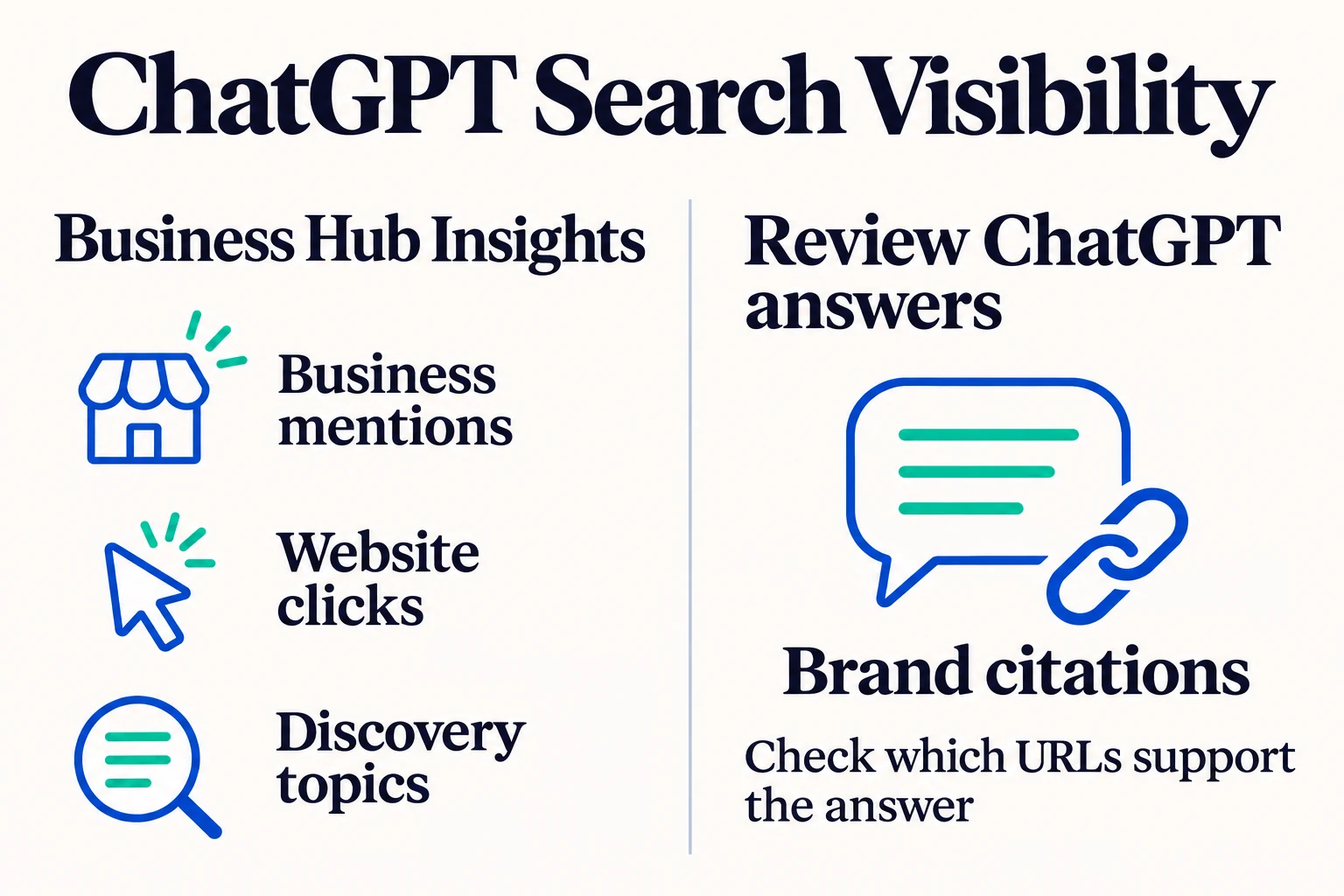
Pair those metrics with questions your customers actually ask. Save a baseline before updating the listing or website, if practical. Then repeat the same questions in fresh chats with web search enabled. Record the date and keep the city or service area consistent for local questions.
| Question to test | What to record |
|---|---|
| “What does [business name] do, and what is its official website?” | Whether ChatGPT identifies the right company, offering, and domain |
| “Which providers offer [service] in [city] and meet [requirement]?” | Whether your business appears and whether the answer supports the requirement |
| “Does [business name] serve [location]? Cite your source.” | Whether the service area is accurate and the cited page confirms it |
| “What is [business name]’s cancellation policy?” | Whether the answer uses the current policy and links to the relevant page |
When reporting on ChatGPT rankings, define exactly what you observed. For example, write “the business appeared in answers to four of eight tested prompts” and record which questions produced an accurate citation. A position in a single answer describes that response. A consistent set of prompts gives you a better way to spot repeatable gaps, such as being recognized by name but absent when customers ask about a service you provide.
Keep a record of profile edits, website updates, campaigns, and seasonal changes. If clicks rise after you claim the listing and rewrite your service pages, the timing alone cannot show which change drove the increase. You can still act on specific findings. If ChatGPT regularly cites the homepage for questions about coverage, check whether your service-area page answers those questions more clearly and is accessible to search.
How a ChatGPT business listing compares with Google Business Profile and Bing Places
A customer might use Google Maps to check whether your shop is open, Bing Maps to get directions, and ChatGPT to ask whether you carry a specific product or serve their neighborhood. Each question depends on accurate business details. Google Business Profile and Microsoft Bing Places help customers find you in search and maps. An OpenAI business listing gives you a way to manage facts ChatGPT may use when answering questions about your company. (OpenAI Business Hub setup guide, Google Business Profile help, Microsoft Bing Places help)
| Platform | What customers can do | Where to start |
|---|---|---|
| ChatGPT Business Hub | Identify your business and find information about offerings, policies, and your official website in ChatGPT | Claim your business on ChatGPT |
| Google Business Profile, formerly Google My Business | Find your business in Google Search and Maps, check hours, and get directions | Create a Google Business Profile |
| Microsoft Bing Places for Business | Find your business in Bing local results and Bing Maps | Claim or add your business on Bing |
The platforms also describe visibility differently. Google says relevance, distance, and prominence primarily determine local results. Microsoft describes Bing Places as a way to claim or add a listing and keep business details accurate. OpenAI says claiming an existing profile leaves its visibility unchanged and gives authorized businesses a way to manage information after verification. (Google Business Profile help, Microsoft Bing Places help, OpenAI Business Hub setup guide)
Use the same public business name, official domain, and applicable location details wherever customers encounter the company. If a business moves, update the address on its map listings and location page. If it changes a policy, update the source page and any profiles that summarize it. The aim is to give customers a consistent answer whether they need directions, want to compare providers, or are checking the terms before buying.
Start with one question customers ask before buying
Claim your ChatGPT business listing, verify that it identifies the correct company, and make the official website easy to recognize. Then pick a question that could determine whether a customer buys or books. Find the page that should answer it. If the page is vague, outdated, or missing, fix that first. Afterward, test the same question and check whether ChatGPT describes the business accurately and cites a source that supports the answer.
Claim your business on ChatGPT