Last updated: July 17, 2026
Your title tag and meta description are the two lines that decide whether a searcher clicks your result or a competitor’s. On a small site you can hand-craft them. On a large one, you cannot, which is why teams increasingly auto generate meta description and title copy at scale. Done well, automation produces relevant, click-worthy snippets across every page and keeps them current. Done badly, it produces generic filler that Google ignores or rewrites. This guide shows you the difference.
We build NytroSEO, an Automatic SEO platform whose core job is exactly this: generating and maintaining optimized title tags and meta descriptions across an entire site, automatically, through a single JavaScript snippet and without editing your CMS. So the guidance here is practical and grounded in how the product actually works: what changed in how search treats these tags, the length and format that survive, the psychology that earns clicks, and how to automate without giving up control. Every recommendation is about producing snippets that get clicked, not just filling a field.
What Changed for Titles and Descriptions Today
Two shifts matter. First, Google rewrites titles and descriptions more often than most people realize. It regularly replaces your title tag with text it considers more relevant to the query, drawing from your headings and on-page content. That does not make titles pointless, a strong, relevant title is still the best way to influence what shows, but it does mean stuffed or mismatched titles get overridden. We covered one such change in our analysis of the Google title tag update and how it affects rankings.
The practical response is to reduce the reasons Google rewrites in the first place. Rewrites cluster around a few patterns: titles stuffed with repeated keywords, titles that are identical across many pages, titles disconnected from the page’s actual heading, and titles that are far too long. When your title tag is specific, unique to the page, aligned with the on-page H1, and within the display limit, Google has little reason to substitute its own version. In other words, the best defense against rewriting is not a trick, it is writing the title Google would have written anyway, but better, and any system that can auto generate meta description and title copy should be built to do exactly that at scale.
Second, AI search raised the stakes for clarity. When an answer engine reads your page, a clear, accurate title and description help it understand and represent your content, just as they help a human decide to click. So the goal of any system that can auto generate meta description and title text is not to game a length limit; it is to state, clearly and specifically, what the page offers. Google’s own guidance on controlling your title links and page snippets is the baseline every approach has to respect, and the underlying meta description element is documented by MDN.
How to Auto Generate Meta Descriptions With the Right Length and Format
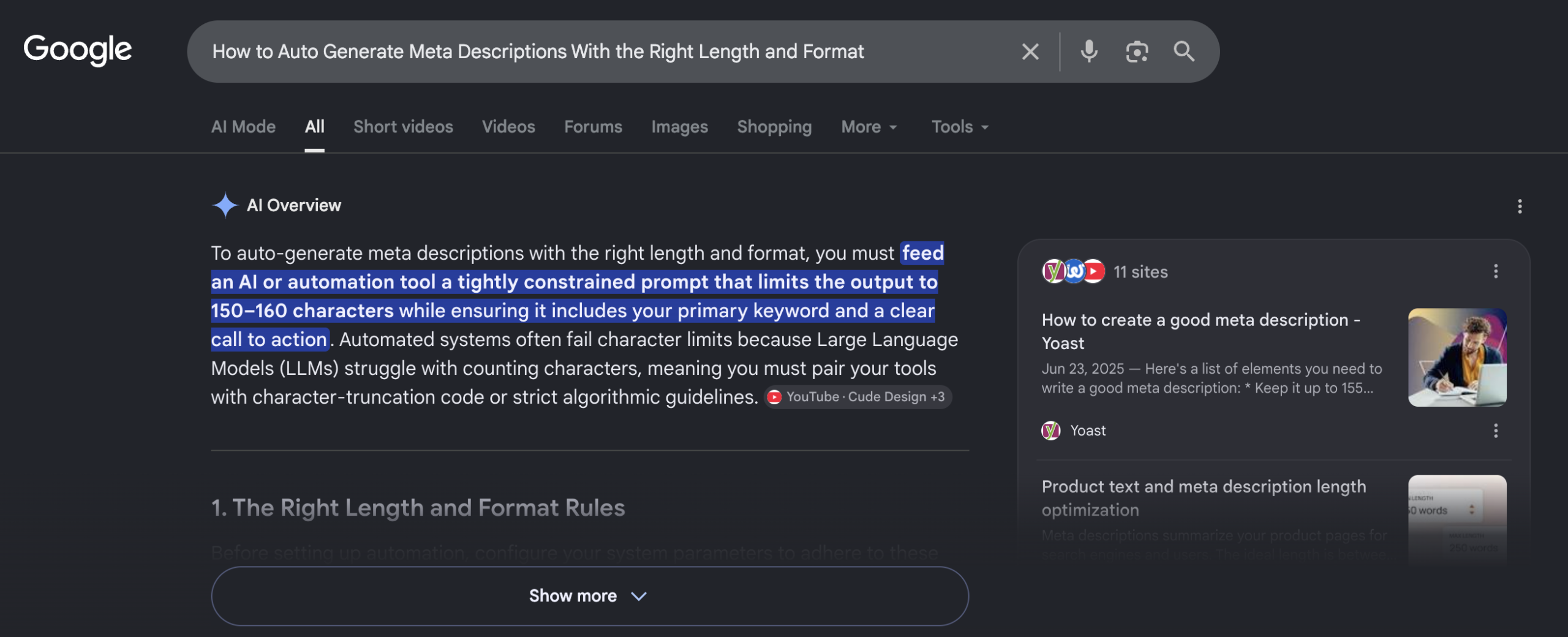
Length still matters, because search engines truncate. As a practical guide, aim to keep title tags around 50 to 60 characters so they are not cut off, and meta descriptions around 150 to 160 characters. These are targets, not hard rules, Google measures display width in pixels, not characters, and truncates accordingly, but they keep your key message visible. Moz’s reference on title tags is a useful companion on display limits.
Format matters as much as length. A strong title leads with the page’s primary topic, is specific, and reads naturally. A strong description expands on it with a concrete benefit and, where relevant, a light call to action. When you auto generate meta description and title copy, the system should follow these patterns: front-load the topic, stay specific to the page, and avoid boilerplate that repeats across thousands of URLs. That last point is critical at scale, duplicate descriptions are worse than none, because they signal thin, templated content. This is precisely what NytroSEO is built to do: a good system to auto generate SEO meta tags derives each snippet from the individual page’s own content, so every title and description is unique and relevant rather than a repeated template. For the fundamentals the automation applies, our guide on auto-generating effective title tags and meta descriptions goes deeper.
Title Tag Best Practices
Because titles and descriptions work together, it is worth being explicit about the title itself. Well-formed title tags share a handful of traits, and a good automation system encodes all of them.
- Front-load the primary topic. Put the most important words first, before any truncation, so the page’s subject is clear even in a narrow display.
- Make each one unique. Duplicate title tags across pages confuse both searchers and search engines; every page should have its own.
- Match the on-page heading. When the title tag aligns with the H1 and the page content, Google is far less likely to rewrite it, because you have already supplied the most relevant version.
- Place the brand consistently. A common, clean pattern is “Primary Topic | Brand,” with the brand at the end so it never crowds out the topic. Keep the separator and placement consistent site-wide.
- Avoid stuffing and filler. Repeated keywords and vague adjectives waste characters and invite rewrites. Specific, natural language wins.
Applied across thousands of pages, these rules are exactly what automation is good at enforcing consistently.
How to Auto Generate Meta Descriptions That Earn Clicks
Relevance gets you shown; psychology gets you clicked. A meta description that simply restates the title wastes the space. The ones that earn clicks do a few specific things.
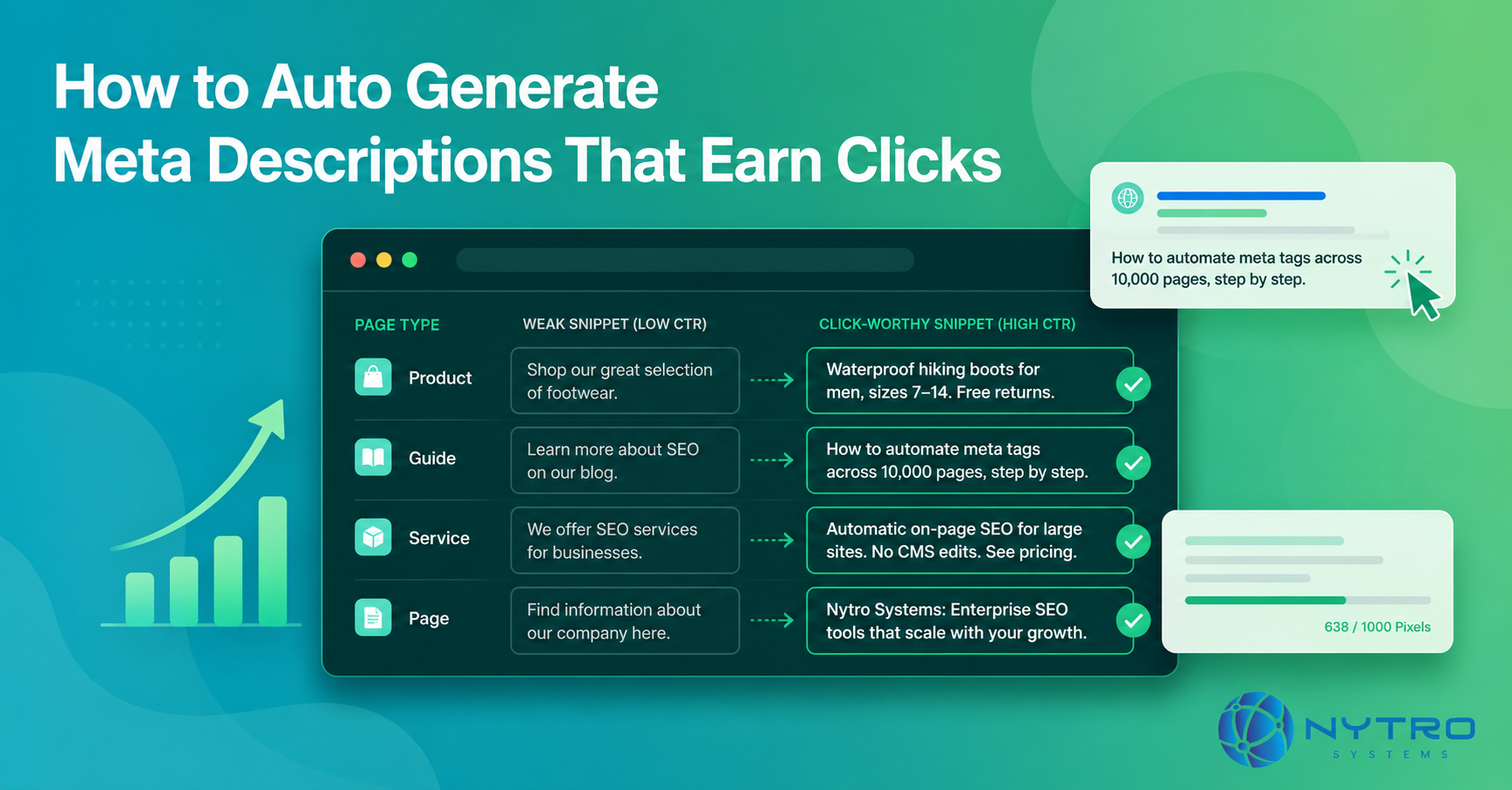
- They are specific. “Waterproof hiking boots for men, sizes 7 to 14, free returns” beats “Shop our great selection of footwear.” Specific detail signals that the page has exactly what the searcher wants.
- They include a number or concrete fact where it fits. Numbers stand out in a page of text and set clear expectations for what the searcher will get.
- They match search intent. An informational query wants an answer preview; a commercial query wants a benefit and a reason to choose you.
- They add a light call to action when appropriate. “Compare plans,” “See pricing,” or “Read the guide” nudges the click without sounding desperate.
A system that can auto generate meta description copy at scale should encode these patterns rather than producing flat summaries. This is the difference between a basic field-filler and a genuine Meta Description Creator that writes for the click. Our guide on generating meta descriptions to boost click-through rate covers the CTR angle in more depth.
The contrast is easiest to see side by side. The table below shows weak snippets next to click-worthy ones for the same pages.
| Page | Weak snippet | Click-worthy snippet |
|---|---|---|
| Product | “Shop our great selection of footwear.” | “Waterproof hiking boots for men, sizes 7–14. Free returns.” |
| Guide | “Learn more about SEO on our blog.” | “How to automate meta tags across 10,000 pages, step by step.” |
| Service | “We offer SEO services for businesses.” | “Automatic on-page SEO for large sites. No CMS edits. See pricing.” |
In every row, the weak version could describe almost any page, while the strong version is specific, sets an expectation, and gives the searcher a reason to choose it. A system that can auto generate meta description text well produces the right-hand column by default, drawing the specifics from each page rather than falling back on generic phrasing.
How to Auto Generate Meta Descriptions Without Losing Control
Automation should give you leverage, not take away your judgment. Responsible systems that auto generate meta description and title tags build in control at every step, and these are the controls NytroSEO is designed around.
- Human overrides. You keep the ability to hand-write any specific snippet, your homepage, flagship landing pages, or campaign pages, while automation handles the long tail. The automation sets a strong default; you always get the final say.
- Scope control. You decide which pages are optimized, typically restricting automation to the URLs in your sitemap so nothing unintended is touched.
- Uniqueness. Each meta description and title is generated from that page’s own content, so you avoid the duplicate-snippet problem that hurts search visibility.
- Clarity over stuffing. The system favors clear, relevant language over repeated keywords, because stuffing gets titles rewritten and reads poorly to humans.
- Reversibility. Because NytroSEO applies tags through a snippet as pages load rather than baking them into your database, changes are easy to adjust or roll back.
With these controls, you get the reach of automation and the precision of manual work where it counts. Our simple guide to SEO automation meta tags explains how the snippet approach keeps you in control.
A Quick Worked Example
Consider a 20,000-page catalog where most product pages inherit a templated title, “Product | Store”, and have no description at all. Google fills the gap by pulling arbitrary on-page text, and the templated titles are frequently rewritten. Click-through rate is weak because nothing in the snippet speaks to the searcher. The team installs NytroSEO, a single snippet in the site header, and restricts scope to the sitemap. NytroSEO generates a unique, specific title and description for every page from that page’s own attributes: product name, key features, and a light call to action. Flagship category pages are flagged for manual copy. Within a day, 20,000 pages have distinct, relevant, click-oriented snippets instead of duplicates and blanks, with no CMS edits and no developer backlog. Over the following weeks, click-through rate on the affected pages improves because the snippet finally tells searchers what they will find. The manual alternative, writing 20,000 snippets by hand, was never realistic, and even attempting it would leave most pages waiting months for attention they may never get.
Common Mistakes When Automating Titles and Descriptions
A few errors turn good automation into wasted effort.
- Duplicate snippets across pages. Templated descriptions repeated site-wide signal thin content. Generate each from the page’s own content.
- Ignoring the title’s first words. The most important keywords and topic belong at the front, before any truncation.
- Writing for length, not clarity. Hitting a character count with filler does not earn clicks. Specificity does.
- Stuffing keywords. Repeated terms get titles rewritten by Google and lower click-through rate. Favor natural, relevant language.
- Setting and forgetting. As pages change, snippets should update. Automation should be continuous, not a one-time pass.
How to Measure Whether Your Snippets Are Working
Automating snippets is only worth it if it moves the number that matters: click-through rate. Fortunately, this is one of the easier SEO changes to measure, because the effect shows up directly in Google Search Console. Before you roll out automation, note the baseline average click-through rate for the page groups you plan to change. After the new titles and descriptions are recrawled, usually a few weeks, compare the same groups. Rising click-through rate at a stable average position is strong evidence the snippets are doing their job, because you are earning more clicks from the same visibility. Segment cleanly so other changes do not muddy the read, and give it time; snippet changes are not reflected instantly.
A useful refinement is a cohort comparison: apply automation to one set of pages first, leave a comparable set unchanged, and watch how their click-through rates diverge. If the optimized cohort pulls ahead, you have a clear, defensible case that the automation works, and a signal to extend it across the rest of the site. Treat any single week as noise and the multi-week trend as signal.
How to Auto Generate Meta Descriptions Across Your Whole Site
On a small site, hand-writing snippets is affordable and automation is a convenience. On a large or fast-changing site, automation is the only way to keep every title and description unique, relevant, and current, because the volume defeats manual editing. The practical path: install NytroSEO’s snippet, restrict scope to your sitemap, let it generate unique titles and descriptions from each page’s content, and reserve manual overrides for your highest-value pages. Then measure the result in Google Search Console by watching click-through rate on the affected pages. Our Automatic SEO software is built to do exactly this across any content management system, WordPress, a custom stack, or a no-code builder, and our walkthrough of optimizing any website automatically in about an hour shows how quickly it deploys.
The Bottom Line on How to Auto Generate Meta Descriptions and Titles
Titles and descriptions are your two-line pitch in the search results, and on a large site they cannot be maintained by hand. NytroSEO exists to solve exactly this: a good system to auto generate meta description and title copy produces unique, specific, click-oriented snippets from each page’s own content, respects length and format, avoids stuffing, and leaves you full control over the pages that matter most. That is how you turn a field you were leaving blank into a consistent driver of clicks and search visibility, automatically, across every page, without touching your CMS.
Ready to see how your titles and descriptions look across your site? Run a free visibility check and we will show you missing, duplicated, and weak snippets, and how NytroSEO can fix them automatically without touching your CMS. On a large site, the snippet is the cheapest, fastest lever you have on click-through rate, and it is the one most teams leave sitting unused.
Frequently Asked Questions
Aim for roughly 50 to 60 characters so the title is not truncated in search results. This is a guide, not a hard rule, because Google measures display width in pixels rather than characters and truncates accordingly. The safest approach is to front-load your primary topic and keep the title specific, so the key message stays visible even if the end is cut.
Google rewrites titles when it judges another version to be more relevant to the query, often pulling from your headings or on-page content. This commonly happens with stuffed, vague, or templated titles. Writing a clear, specific, relevant title reduces rewrites, because you are giving Google exactly what it would otherwise substitute in.
The Open Graph title mainly controls how your page appears when shared on social platforms, not your search ranking directly. However, Google can consider the OG title as one signal when choosing what title to display in results. Keeping your title tag, OG title, and on-page heading consistent and relevant gives search engines a clear, aligned message.
Yes, when the automation generates a unique description from each page’s own content rather than repeating a template. Safe automation avoids duplicates, favors clarity over keyword stuffing, and lets you override any page manually. Done this way, automating descriptions improves coverage and consistency across a large site without the risks that come from generic, repeated snippets.
Meta descriptions are not a direct ranking factor, but they strongly influence click-through rate, which affects how much traffic a given ranking earns. A specific, relevant description that matches search intent gets more clicks than a vague one, so while it will not move your position by itself, it directly affects how many searchers actually choose your result.