Last updated: October 7, 2026
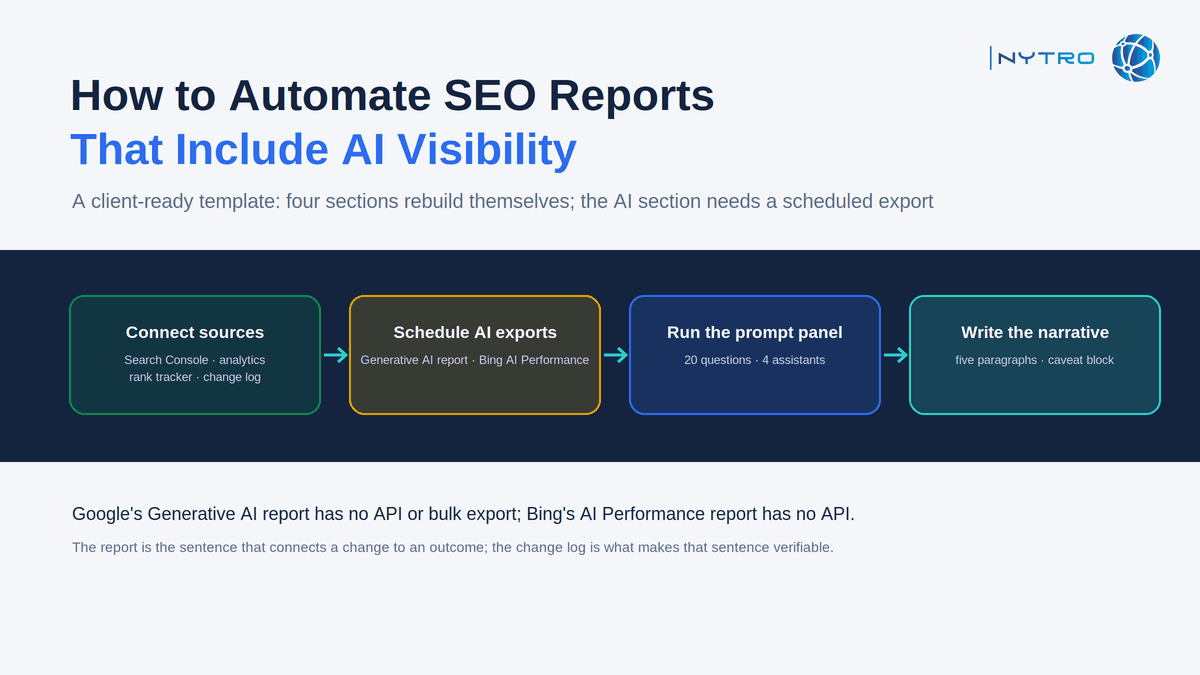
To automate seo reports in 2026 is to connect the sources that can be connected, Search Console’s classic data, analytics, rank tracking and your own change log, into a template that rebuilds itself on a schedule, and then to be honest about the one section that cannot yet be automated: AI visibility. Google’s Generative AI performance report, the only official source of AI Overviews and AI Mode impressions, is a UI-only report with no API and no bulk export, and Bing’s AI Performance report is the same. A report that claims to automate AI visibility end to end is either estimating it from a third-party prompt panel or quietly leaving it out. This guide sets out what a client report must include now, how to add the AI section truthfully, how ranking and keyword monitoring fit, how to connect actions to outcomes, and the workflow that automates everything that can be automated and schedules the rest.
The limitation is documented and worth stating exactly. Search Console’s Generative AI performance report shows impressions in generative AI features on Search by page, country, device and date, with no clicks, queries or position. Independent verification confirms the gap in the plumbing: as one technical consultant re-verified on his own property in August 2026, neither the Search Analytics API nor the BigQuery bulk export exposes the generative AI data, the report’s UI caps any table at 1,000 rows, and AI Overviews and AI Mode are merged into a single series. The classic performance data, by contrast, flows through the API, the bulk export and the Looker Studio connector as it always has.
If you want the “changes made” section of every report to write itself from a real change log rather than a recollection, sign up for free and NytroSEO will log every metadata and structured-data change it applies, per page, with timestamps.
The practical consequence for agencies is a two-speed report. Four of its five sections can be rebuilt automatically every month from connected sources. The AI visibility section is assembled from a scheduled manual export of the Generative AI report, a scheduled manual export from Bing Webmaster Tools, and the results of a fixed prompt panel; it takes a person perhaps thirty minutes per property, and the report should say so rather than imply the numbers arrived by themselves.
Lee Agam, founder and CEO of NytroSEO, holds that the value of a client report is the sentence that connects a change to an outcome, and that everything else in it is context. In his experience, reports fail in two directions: they automate the data and skip the narrative, so the client receives charts and no meaning, or they write the narrative from memory, so the changes described are the ones someone remembers rather than the ones that happened. His remedy for the second is a change log the automation keeps, every title, description, canonical and schema change on every page with a timestamp, so that the “what we did” section is a query rather than a recollection. His remedy for the first is to keep the narrative human and short, and to put the AI visibility caveat in the template permanently, because a client who learns later that the AI impressions were hand-copied from a dashboard will trust the rest of the report less.
What automated seo reports must include when you automate seo reports now
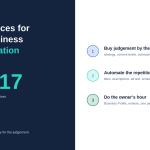
Automated seo reports have five sections, and the order is the argument the report makes: here is where you are visible, here is whether the plumbing is sound, here is what we changed, here is what happened, here is what comes next.
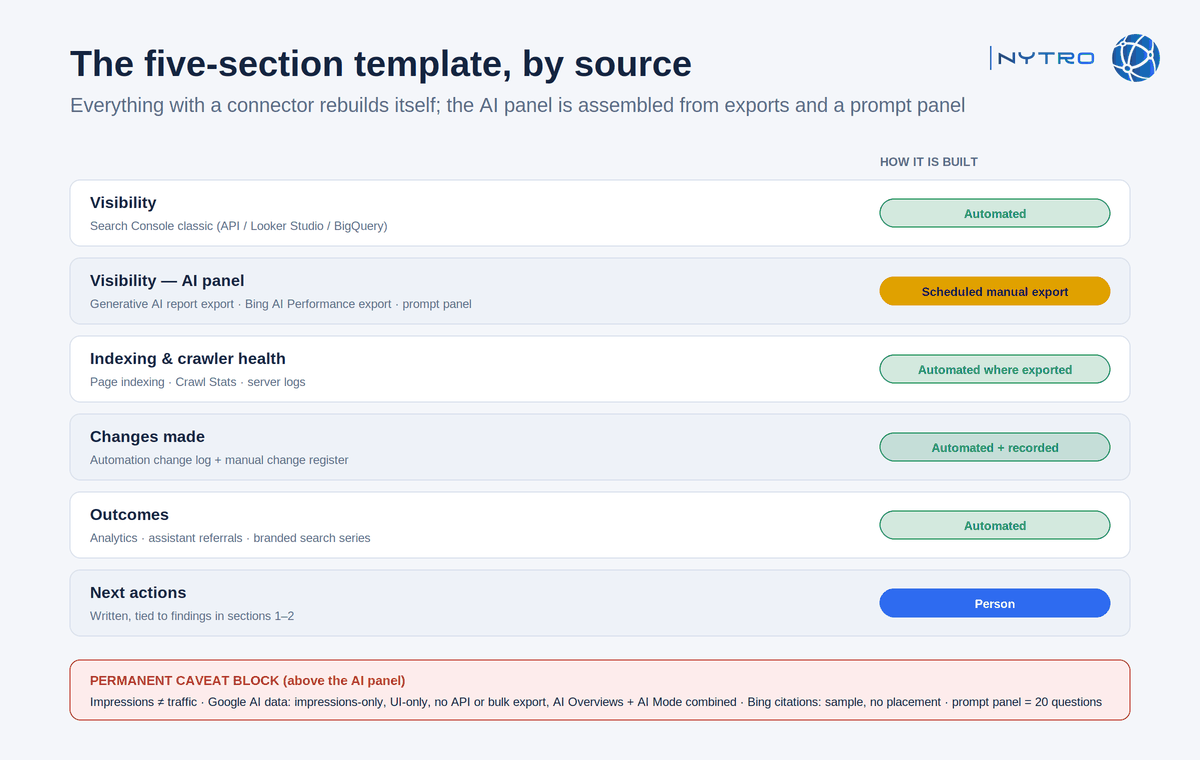
The template above labels each section with its source and whether it rebuilds automatically; the AI panel is the one that does not.
- Visibility. Classic impressions, clicks and average position from Search Console, trended against the previous period and the same period last year. Then AI visibility: impressions in AI Overviews and AI Mode from the Generative AI report, Copilot citations and grounding queries from Bing, and the prompt-panel results across ChatGPT, Perplexity, Gemini and Copilot, with the caveat line that these are impressions and citations, not traffic.
- Indexing and crawler health. Indexed page count and the non-indexed states that moved, from the Page indexing report; crawl requests, response time and host status from Crawl Stats on large sites; crawler access confirmed for Googlebot, Bingbot and the AI search crawlers that matter, from logs.
- Changes made. Every change applied in the period, from the change log: pages touched, elements changed, rules applied, overrides set. This is the section that distinguishes a report from a dashboard.
- Outcomes. Sessions, conversions and assisted conversions from analytics, with referrals from AI assistants separated where the referrer identifies them; branded search impressions and clicks as their own series.
- Next actions. Three to five, prioritised, each tied to a finding in sections one or two.
Our guide to keeping SEO clients engaged with eight communication touchpoints covers how the monthly report sits among the others; this guide covers the report itself.
Adding ai search performance when you automate seo reports for clients
Ai search performance is the section clients now ask for first and the section that is hardest to source truthfully. Three inputs, each with its own method and its own caveat.
Google’s Generative AI report. Open Performance, then Generative AI, set the date range to the reporting period, export the pages table, and store the CSV with the property and period in its name. Report the property-level impression trend and the top pages by AI impressions. State the caveats in the template: impressions only, no clicks or queries, AI Overviews and AI Mode combined, history from May 2026, a 1,000-row table cap on large sites, and a known data-logging gap in August 2026 that affects month-on-month comparisons across that period. Because Google attributes these impressions to canonical URLs, note any canonical changes made in the period. Our guide to reading the Generative AI report sets out the derived metrics worth reporting.
Bing’s AI Performance report. Open Search Performance, then AI Performance, in Bing Webmaster Tools; export total citations, cited pages and grounding queries. State Microsoft’s caveats: citation counts show reference frequency, not placement; grounding queries are a sample; no clicks or traffic; Microsoft AI surfaces only; no API.
The prompt panel. Twenty fixed buyer questions run monthly in ChatGPT with search, Perplexity, Gemini and Copilot, recording recommended, cited, mentioned or absent and the description used, compared with the two or three competitors that appear in the same answers. State the method and the sample size in the report, because a client who sees “cited in 7 of 20” needs to know what the 20 are.
Derive two numbers the client can hold onto: AI impression share, AI impressions divided by classic impressions for the property and for the top pages, and share of voice, the brand’s mentions as a fraction of all brand mentions in the panel’s answers. Trend both. Our guide to measuring AI search visibility covers the full metric set.
Ranking monitoring and SEO keywords monitoring in the report
Ranking monitoring and SEO keywords monitoring are different inputs and the report should keep them apart.
An automated rank tracker records positions for the agreed keyword list and feeds the report a movement table: keywords up, down and unchanged, and the ten largest moves with the page that moved. It is precise about the list and blind to everything else, which is why it comes second.
SEO keywords monitoring from Search Console covers the queries the site actually earned: new queries that appeared, queries lost, and the striking-distance set, positions four to fifteen with meaningful impressions, which is where next month’s actions come from. Pull it through the Search Analytics API or the bulk export for sites above the UI’s row limits, and annotate against the Search Status Dashboard.
Present the two together in one spread: the tracked list on the left as the client’s scoreboard, the discovered queries on the right as the opportunity list. Annotate both with the Google update windows from the Search Status Dashboard and with any model change in AI Mode, because a movement inside those windows is not evidence of your work in either direction. Our guide to automated SEO monitoring covers the daily alerts that sit behind the monthly report.
Connecting actions to outcomes: the section that justifies automate seo reports
The section that justifies the invoice is the one that connects what changed to what happened, and it depends on data most agencies do not keep: a complete log of every change made to the site in the period.
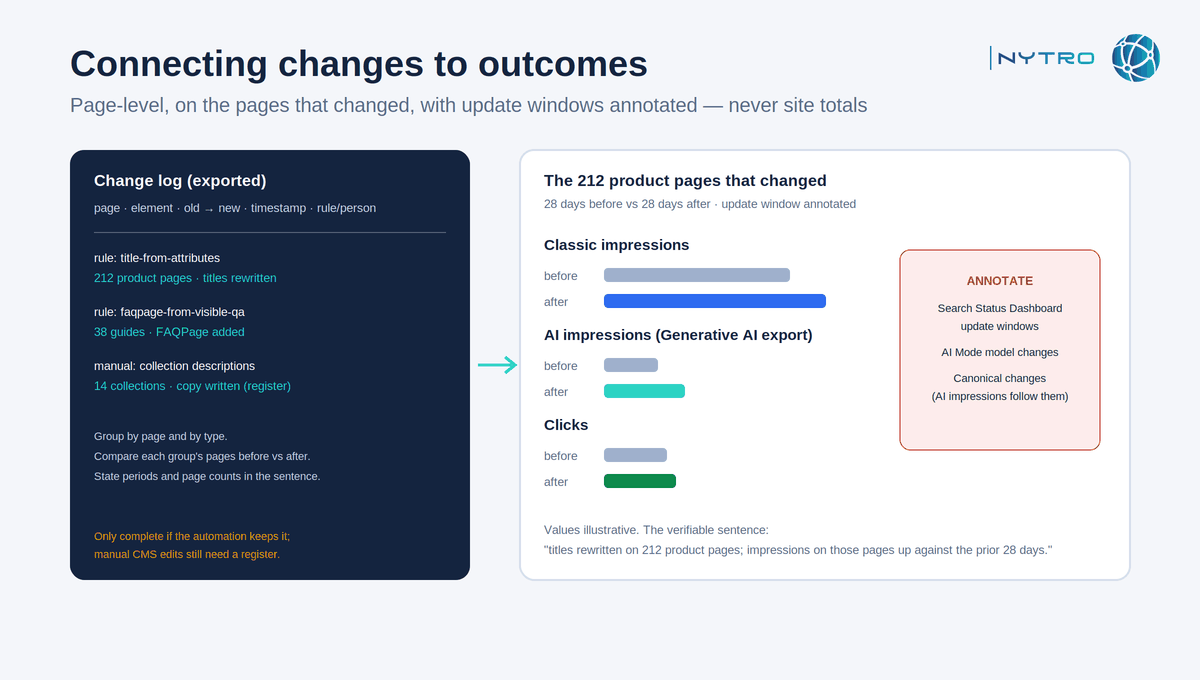
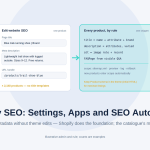
The before-and-after view above only works when the change log is complete and dated, which is the argument for keeping it automatically.
Build it in three steps. Export the change log for the period: page, element changed, old value, new value, timestamp, rule or person. Group changes by page and by type. For each group, show the pages’ classic impressions, AI impressions and clicks for the period before the change and the period after, with update windows annotated so that a movement caused by Google is not claimed as a result.
Two rules keep it honest. Report page-level movement on the pages that changed, not site-level totals, because totals absorb seasonality and everything else. And state the comparison periods and the number of pages in each group, so that “titles rewritten on 212 product pages; impressions on those pages up against the prior 28 days” is a verifiable sentence rather than a claim.
On a large site the change log is only complete if the automation keeps it. NytroSEO logs every metadata and structured-data change it applies, per page, with timestamps and the rule that produced it, and that log is exportable; it does not log changes people make by hand in the CMS, which still need recording. Our note on turning data into insights and SEO strategies covers the analysis side.
Automating the report itself: automate seo reports without automating the caveats away
Automate seo reports by automating the four sections that have connectors and scheduling the one that does not.
Connected sources. Search Console classic data through its API, the Looker Studio connector, or the BigQuery bulk export for sites that exceed the UI limits. Analytics through its own connector. The rank tracker through its export or API. The automation platform’s change log through its export. Each lands in a Looker Studio template with a page per section, and the template refreshes on the first of the month.
Scheduled exports. A calendar task on the first working day: export the Generative AI report’s pages table and the Bing AI Performance panels for each property, name the files by property and period, and load them into the template’s AI section. Run the prompt panel and record the results in the same sheet. Thirty minutes per property; put it in the retainer.
The narrative. Written by a person, after the template refreshes, in five short paragraphs that follow the five sections, with the “changes made” paragraph drawn from the log and the “next actions” paragraph tied to findings. Automation produces the evidence; the person produces the sentence that connects it.
The caveat block. Permanent, in the template, above the AI section: impressions are not traffic; Google’s AI data is impressions-only, UI-only and combines AI Overviews with AI Mode; Bing’s citation counts are a sample without placement; the prompt panel is twenty questions. A caveat that lives in the template cannot be forgotten in a busy month.
Cadence. Monthly for the full report; a one-page weekly for the daily-monitoring alerts that fired and what was done. Keep every exported CSV: with no API behind the AI reports, the files you save each month are the only history you will have, and a property whose exports lapse for a quarter has a hole in its trend that cannot be refilled. Our Search Console integration covers how the classic data and the change log arrive in one place. Book a strategy meeting with the NytroSEO team if you run an agency portfolio and want the template, the exports and the change-log feed set up as one project.
The template in one list
- Section 1, Visibility: Search Console classic (automated) + Generative AI export, Bing AI Performance export, prompt panel (scheduled, manual).
- Section 2, Indexing and crawler health: Page indexing, Crawl Stats, logs (automated where exported).
- Section 3, Changes made: automation change log + manual change register (automated + recorded).
- Section 4, Outcomes: analytics, assistant referrals, branded search (automated).
- Section 5, Next actions: written, tied to sections 1 and 2.
- Caveat block: permanent, above section 1’s AI panel.
Frequently Asked Questions
Visibility across classic search and AI features, indexing and crawler health, the changes made during the period from a change log, outcomes in traffic and conversions, and prioritised next actions. Add a permanent caveat block explaining that AI impressions are not traffic and that Google’s AI data is impressions-only and not available through its API.
Export the Search Console Generative AI report’s pages table for the period, export Bing’s AI Performance citations and grounding queries, and add results from a fixed monthly prompt panel across ChatGPT, Perplexity, Gemini and Copilot. Report AI impression share and share of voice, and state the caveats: impressions only, no API, AI Overviews and AI Mode combined, sampled grounding queries.
Not yet. Classic Search Console data, analytics, rank tracking and an automation change log can be connected and rebuilt on a schedule, but Google’s Generative AI report and Bing’s AI Performance report have no API or bulk export, so the AI visibility section needs a scheduled manual export. The narrative should still be written by a person.
Show AI impressions and citations rising while clicks stay flat, pair that with branded search growth and assisted conversions, and report page-level click-through on the pages that should still earn a visit. Position visibility inside answers as the top of the funnel rather than a lost click, and keep the impressions-are-not-traffic caveat in view.
A rank tracker records positions for a fixed keyword list and feeds a movement table. Keywords monitoring from Search Console covers the queries the site actually earned: new queries, lost queries and the striking-distance set, which is where next month’s actions come from. Report them side by side, annotated with Google update windows.
Ready to automate seo reports with a change log that writes itself?
Four sections can rebuild themselves; the fifth needs a scheduled export and a sentence from a person. The section that proves the work is the change log, and it is only complete if the automation keeps it. Sign up for free to have NytroSEO log every on-page change it applies, per page, with timestamps, or book a strategy meeting if you run an agency portfolio and want the full reporting template set up across your properties.